Troubleshooting
The problems you may meet, and how to fix each one.
Start at Settings → Library Hub → Library. Connections says what the plugin can reach.
Calibre shows as off or not reachable#
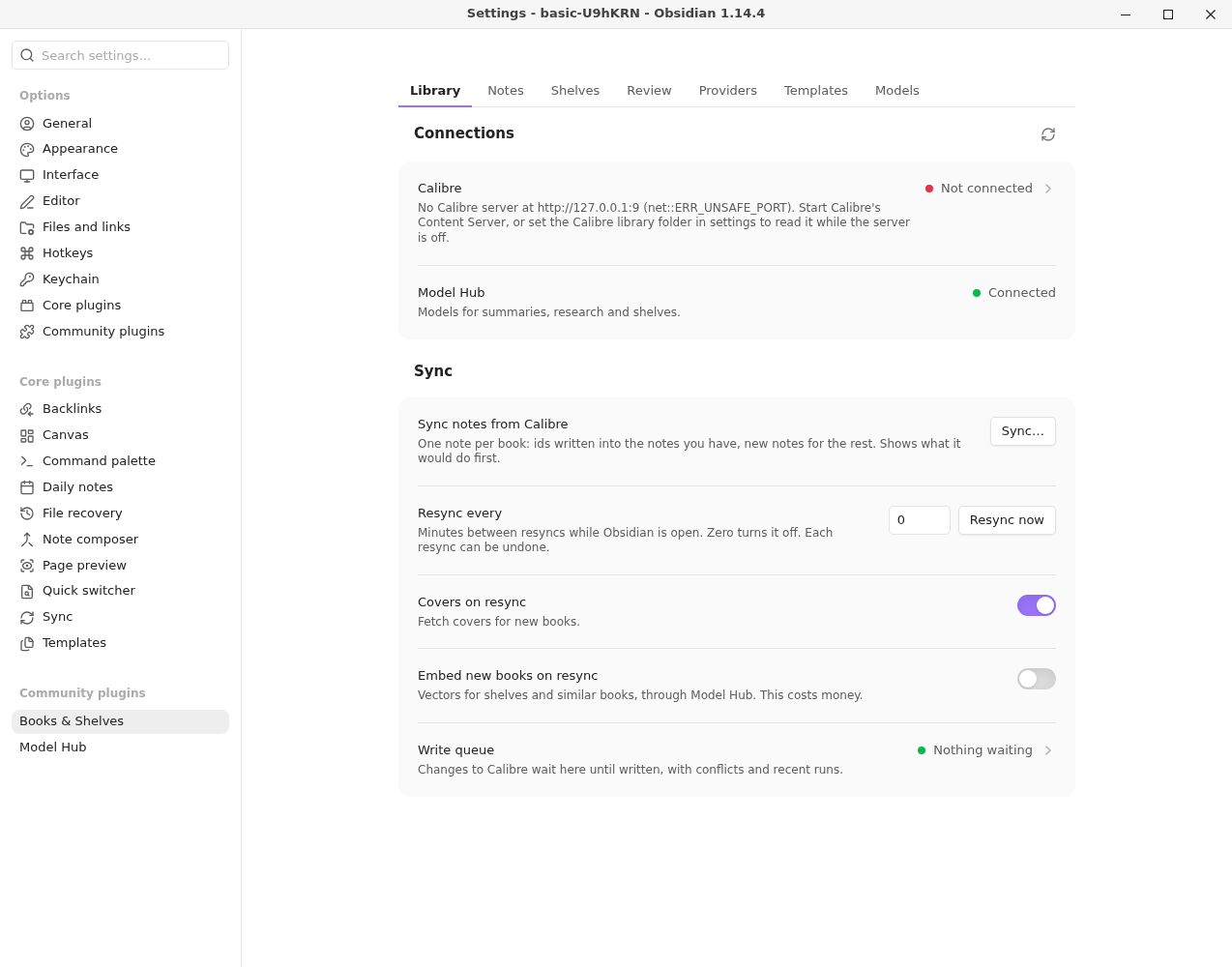
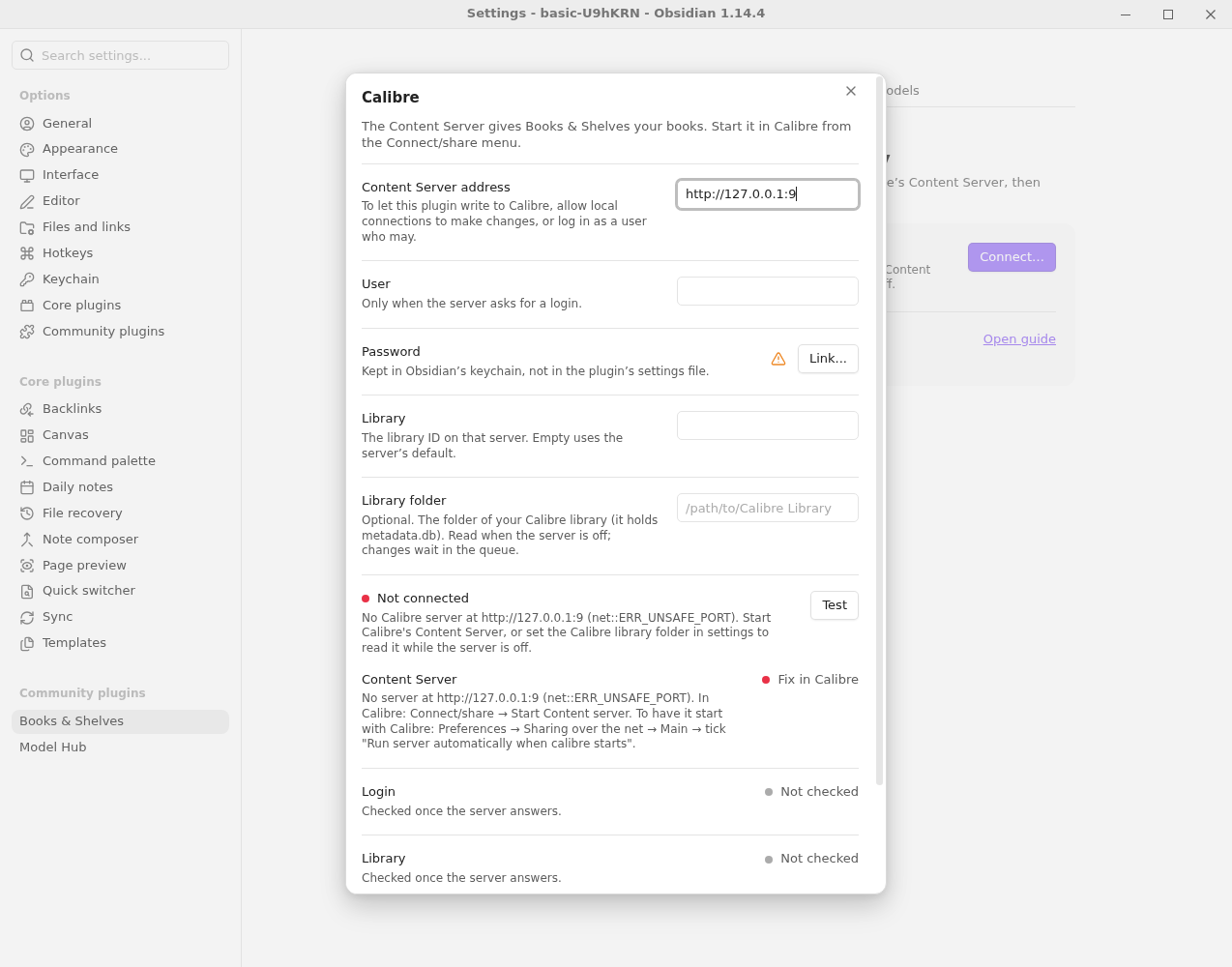
Why: the Content Server isn't running, or the address is wrong. Fix: in Calibre, select Connect/share → Start Content server. Then select Library → Calibre → Connect… in the settings, check the Content Server address and select Test.
The library reads but changes aren't written#
Why: the Content Server doesn't allow this connection to make changes. The Library page says Connected, read-only, and Connect… → Test fails the Changes check. Fix: in Calibre, Preferences → Sharing over the net → Advanced → Allow un-authenticated local connections to make changes, Apply, then stop and start the server. Or enter a User and Password that may make changes. See the settings Calibre needs.
The library is read-only#
Why: the server is off, and the library is being read from its folder instead. Fix: start the Content Server. Until then, syncing notes, opening books and reading their text work from the folder; converting a book to EPUB and writes to Calibre wait.
A book file "isn't downloaded on this computer"#
Why: the server is off, and the Calibre library is in a cloud-synced folder (Google Drive or similar) that keeps files online until they're opened. Reading the file asks the sync app to download it, and that failed or took more than two minutes. Fix: in the sync app, make the library folder available offline. Or start the Content Server.
The library file "was being written"#
Why: the server is off, and Calibre was adding books while Library Hub read metadata.db. It tries a few times before saying so.
Fix: try again when Calibre has finished.
A change shows as a conflict in the write queue#
Why: the value changed in Calibre after the change was proposed, so it wasn't written. Fix: look at the book in Calibre. Reject the change, or look the book up again to propose a fresh one.
A sync lists books it couldn't place#
Why: more than one note could be the book, or the match isn't certain. It lists these and doesn't guess. Fix: add the book's Calibre id or ISBN to the right note's properties, then sync again.
No covers come from Google Books#
Why: Google gives no covers without an API key. Fix: add a Google Books API key on the Notes page, or rely on Calibre and Open Library.
"This plugin needs Model Hub…"#
Why: Model Hub is missing, turned off or too old. Fix: install, enable or update Model Hub. Syncing notes and covers works without it; shelves, summaries and lookups need it.
A job has made no progress for five minutes#
Why: a call is slow or stuck. Fix: wait, or cancel it from the Library panel.
A run stopped at a limit#
Why: a call was billed well above its listed price, or one of Model Hub's limits was reached. Fix: check Model Hub's usage view and the tier's limits, then run it again.
A pack isn't used#
Why: its pack.yml has a mistake. A notice names the pack and the problem.
Fix: correct the file and run Sync: Reload packs and templates.
Reporting a problem#
Select Report a problem… in the Library panel's ⋯ menu. Describe what happened, select Collect, and read the whole report before anything leaves: Library Hub's part holds versions, how Calibre and each provider are connected, recent runs and jobs as counts, times and error codes, and settings as on/off. It never holds a book's title or author, a note's name, a path, a server address or a key. Untick any part you'd rather not send, then open a GitHub issue, copy the report, save it as a file or email it. Nothing is sent automatically.
Questions#
Does it change my Calibre library?#
Only through the write queue, after you accept a change, and when you agree to an EPUB conversion. See Changes to Calibre, and undo.
Does it work on mobile?#
No. Library Hub is desktop only for now.
Still stuck? See Getting help.