Library Hub
Your Calibre library as notes in Obsidian, with covers, shelves that stay current, a reading list and summaries.
Library Hub keeps one note for every book in your Calibre library, with its cover. On top of those notes it builds shelves: groups of related books that stay current as the library grows. It also keeps a reading list, writes summaries, and proposes fixes to a book's details that you review before anything changes in Calibre.
Calibre stays the home of your books. Library Hub reads it, and writes to it only when you accept a change.
The words to know#
| Word | What it is |
|---|---|
| Book note | One note per Calibre book, holding its details as properties. Your own sections in it are left alone. |
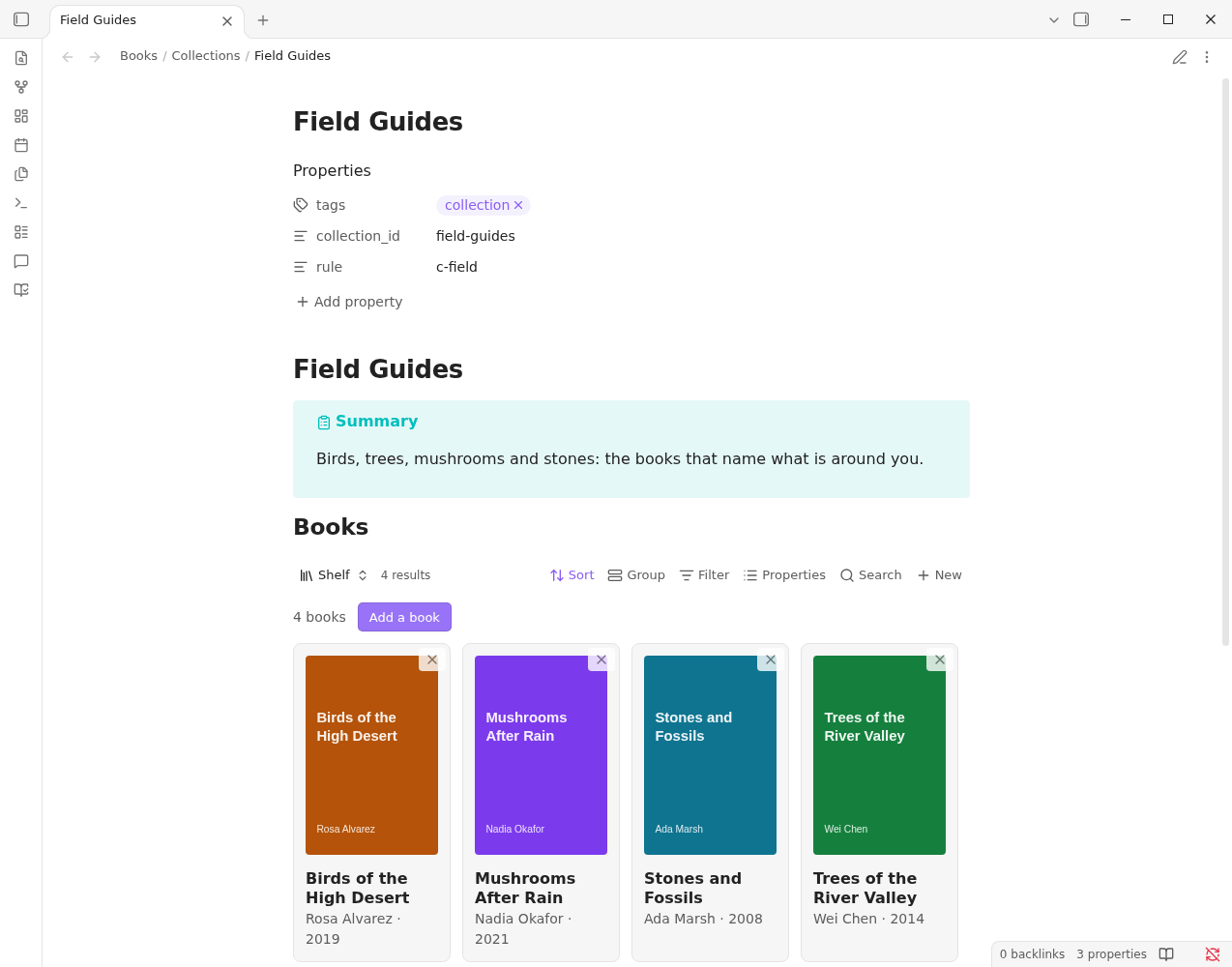
| Shelf | A note that lists a group of books. Shelves show as cards in the Shelf view, a view for Bases. |
| Reading list | Each book's reading status, and a queue of what is up next. |
| Review | A proposed change to a book's details, waiting for you to accept or reject it. |
| Library panel | A side panel for the open book, what needs you, and what has run. |
| Write queue | Accepted changes waiting to be written to Calibre. |
| Provider | A place your books live: Calibre, Audible. One note per book, whichever providers hold it. |
| Template | Which provider fields go into the notes, and the library Base. A pack is a layer of it. |
| Pack | An optional set of fields and rules for a kind of library. |
On its own, and with Topic Map#
On its own, Library Hub matches books by the words they share: titles, authors and the context in each note. It needs no model for this, and keeps no index. With Topic Map installed, it can also match books by what they are about: similar books by meaning, the shelves that suit a book, shelf health with trims and splits, and suggested shelves. That part comes with Topic Map's next release. Until then, each of those features shows one line where it would be: Install Topic Map to …. Build shelves lists what each mode covers.
Coming from an earlier version#
Earlier versions kept shelves under other property names (collections, collections_exclude, collection_id). The first time Library Hub finds them, a notice offers to move them to shelves, shelves_exclude and shelf_id. You see the whole move before it runs, and you can undo it as one run. Book vectors an earlier version saved are no longer used; you can delete them. See Build shelves.
What you need#
- Obsidian 1.13.1 or later, on desktop.
- Calibre, with its Content Server turned on.
- Model Hub, for anything that uses a model: shelves, summaries and the review of book details. It holds your providers and keys and records what each call costs. Syncing notes and covers needs no model.
Also from Insurgently#
Library Hub needs Model Hub for its models; Topic Map reads its books:
- Model Hub: your AI providers in one place, with roles, cost limits and a ledger. https://insurgently.com/docs/model-hub/
- Topic Map: index passages from your books and notes, find the topics they share, answer with cited cards. https://insurgently.com/docs/topic-map/
- Learning Editor: feedback on your writing that learns your habits and never rewrites without asking. https://insurgently.com/docs/learning-editor/
Next: Getting started.