Series
A note for each series you own, with what is missing; and series Calibre doesn't know about, found in titles.
Series notes#
Run Sync: Update series notes. For every series you own two or more books of, it makes a note in the series folder (by default Books/Series) that lists the numbers you have and the ones missing, and shows the books in order as cards.
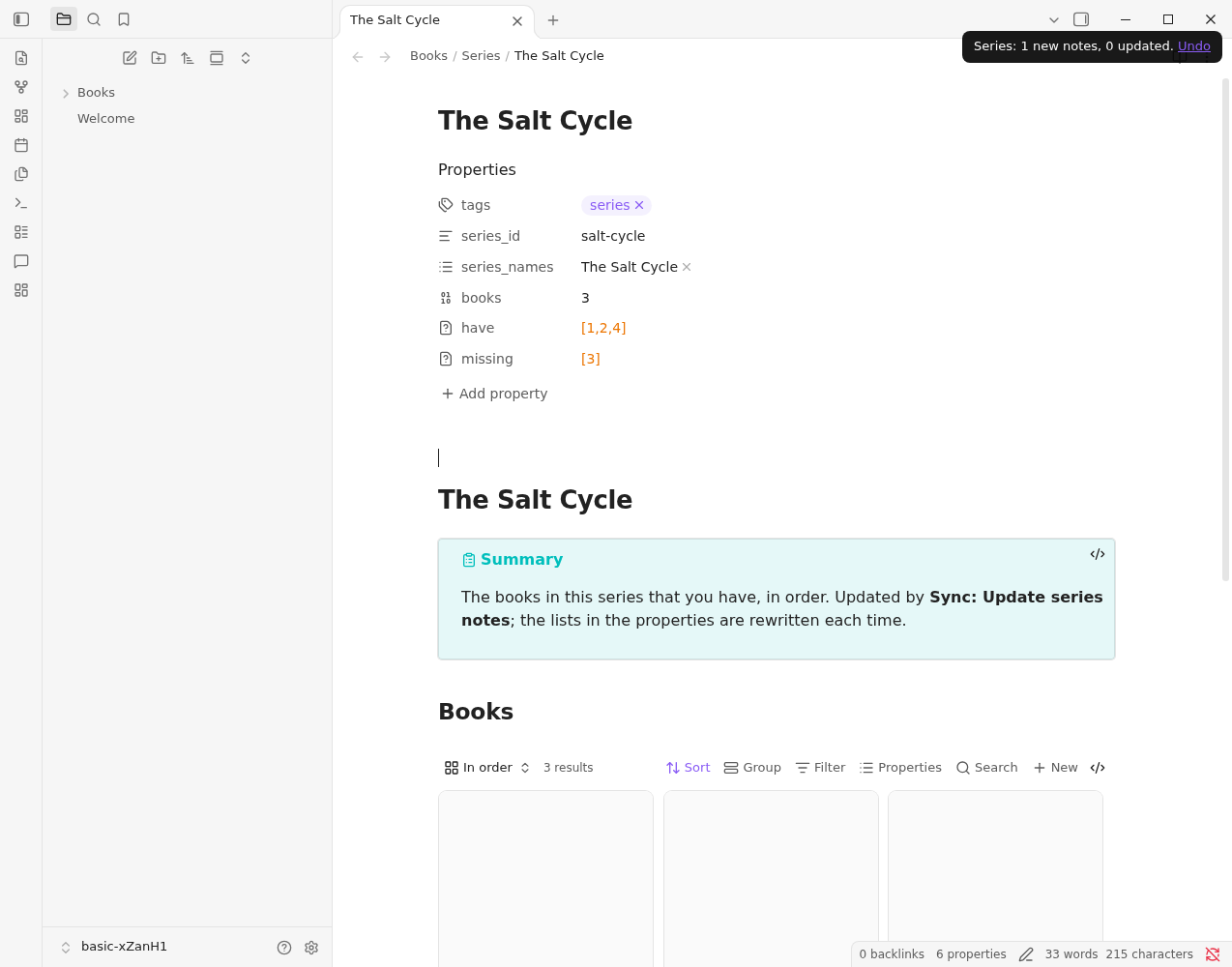
A series comes from the series and series_index on your book notes, which a sync fills from Calibre, or from Audible when Calibre has none. Two spellings of one name ("The Wheel of Time", "Wheel of Time") are one series. A series note is rewritten each time you run the command, so don't edit its properties; write below the Base instead. Undo from the notice, or from the Library panel, removes what the run made.
Series in titles#
Calibre only knows a series if someone set it. Review: Find series in book titles looks at the titles of books without one and proposes series from how they are written:
- a title that names its series outright: Salt and Stone (The Salt Cycle, Book 2). These start ticked.
- two or more books by the same author that share a prefix and a volume number: Salt Cycle, Volume 1 and Salt Cycle, Volume 2. These start unticked.
Tick the ones that are right, fix a name if you like, and choose Queue for Calibre. Nothing is written to Calibre until you write the queue. A book that claims a number another book already has is left out. When you have written the queue, sync notes to bring the series into your book notes, then update the series notes.