Settings
Every setting, in the order the settings pages show them.
Settings are eight pages: Library, Notes, Shelves, Review, Providers, Templates, Sharing and Models. Each shows its state on the right, with a warning when something there needs you, and Obsidian's settings search finds every setting in them. Each section below follows a page from top to bottom. Last, under Also from Insurgently, are the family's other plugins.
Library#
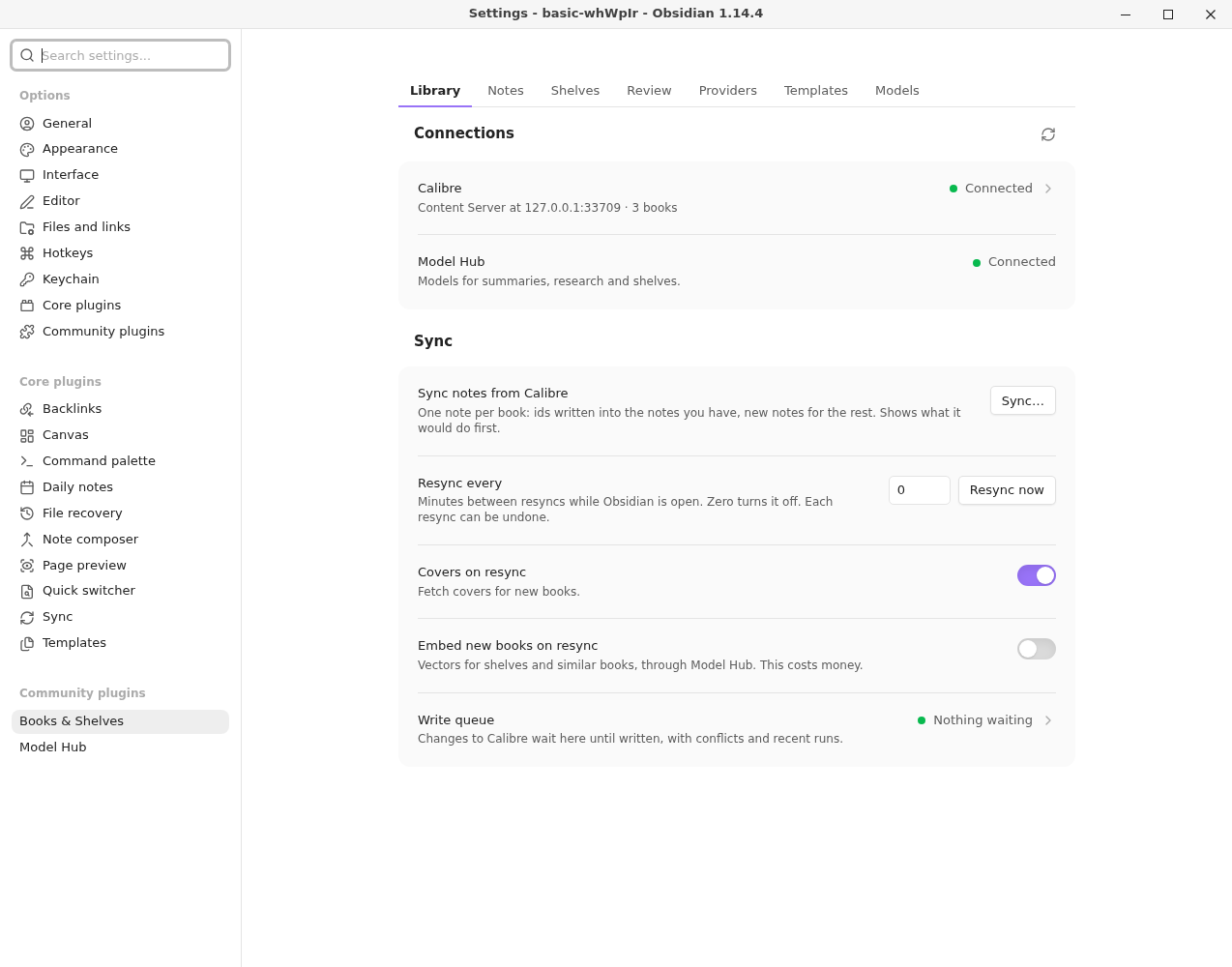
Before Calibre is connected, the settings start with Connect your Calibre library: Connect…, and How to start the Content Server, which opens the guide.
| Setting | What it does | Default |
|---|---|---|
| Connections: Calibre, Model Hub | Whether each is reachable, with a warning when not. Calibre opens a page with Connect… for the Content Server's address, login, library and library folder, and each setting Calibre needs. | http://localhost:8080 |
| Sync notes from Calibre | One note per book. Shows what it would do first. | |
| Resync every | Minutes between resyncs while Obsidian is open. Zero turns it off. Resync now runs one. | 0 |
| Covers on resync | Fetches covers for new books when it resyncs. | on |
| Write queue | How many changes wait to be written to Calibre; its page has Open the write queue. | |
| Folder for new books, then Bring in new books… | A folder outside the vault whose new book files are offered to bring in. See New books. | empty |
| New books in Calibre | Books that appear in Calibre also wait to be brought in. | on |
| Add files to Calibre, Make a note, Look up metadata, Find a cover | The steps of Bring in new books, each on or off. | on |
| Keep the last run timelines, then Last report | Under Diagnostics. How many run timelines to keep in the plugin folder's timelines/ (ids, counts and timings only, nothing from your notes; older ones are deleted when a run starts). Zero writes none. Last report shows the newest run's report. See Sync notes. | 20 |
Offering each new book to the shelves it suits needs Topic Map, and the page says so in one line.
Notes#
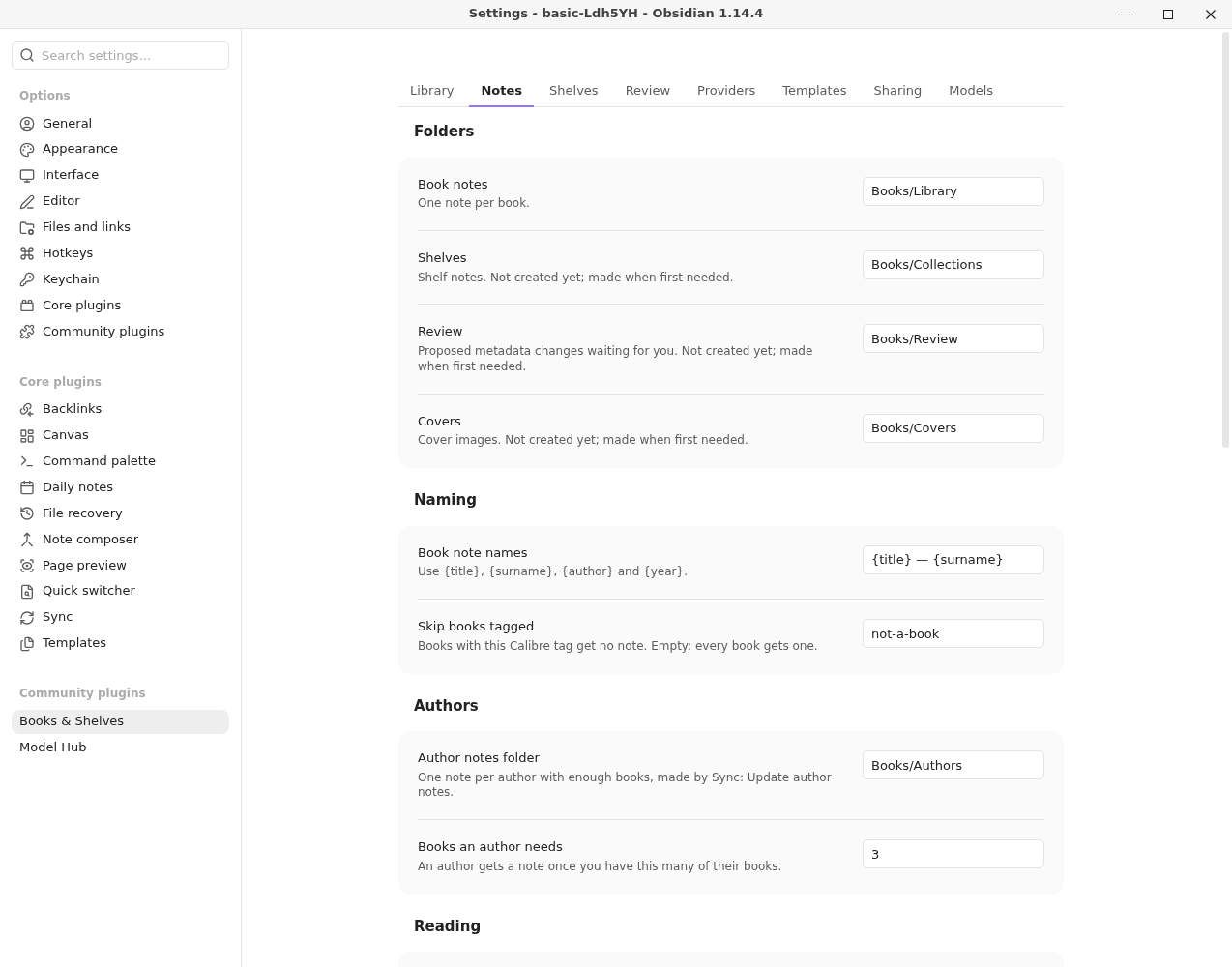
| Setting | What it does | Default |
|---|---|---|
| Book notes | The folder with one note per book. | Books/Library |
| Shelves | The folder for shelf notes. | Books/Collections |
| Review | The folder for proposed changes waiting for you. | Books/Review |
| Covers | The folder for cover images. | Books/Covers |
| Book note names | The template for new notes: {title}, {surname}, {author}, {year}. | {title} — {surname} |
| Skip books tagged | Books with this Calibre tag get no note. | not-a-book |
| Author notes folder | Where Sync: Update author notes writes one note per author. See Authors. | Books/Authors |
| Books an author needs | An author gets a note once you have this many of their books. | 3 |
| Reading notes folder | Where year-in-review notes and the library health report go. | Books/Reading |
| Reading goal | Books to finish this year. Zero for no goal. | 0 |
| Highlights folder | Where each book's highlights note goes. See Highlights. | Books/Highlights |
| Show a highlight of the day | One of your highlights in the Library panel, the one shown least recently. | on |
| Open the panel when a book note is opened | Under Library panel. Opens the panel once per session. Close it and it stays closed until you restart Obsidian. | on |
| Offer a summary when a book note is first opened | Under Summaries. A banner under the title, once per book. See Summarize a book. | on |
| Show covers in book notes | Shows the cover under the title, with a button to replace it. | on |
| Look online | When Calibre has no cover, asks Open Library, then Google Books if you add a key. Sends the book's ISBN, title and author. | on |
| Google Books API key | Optional. Kept in Obsidian's keychain. | empty |
| Send covers to Calibre | Queues covers found online for Calibre books that have none. | off |
| Find covers… | Finds a cover for every book note without one. |
A folder that doesn't exist yet is made when first needed.
Shelves#
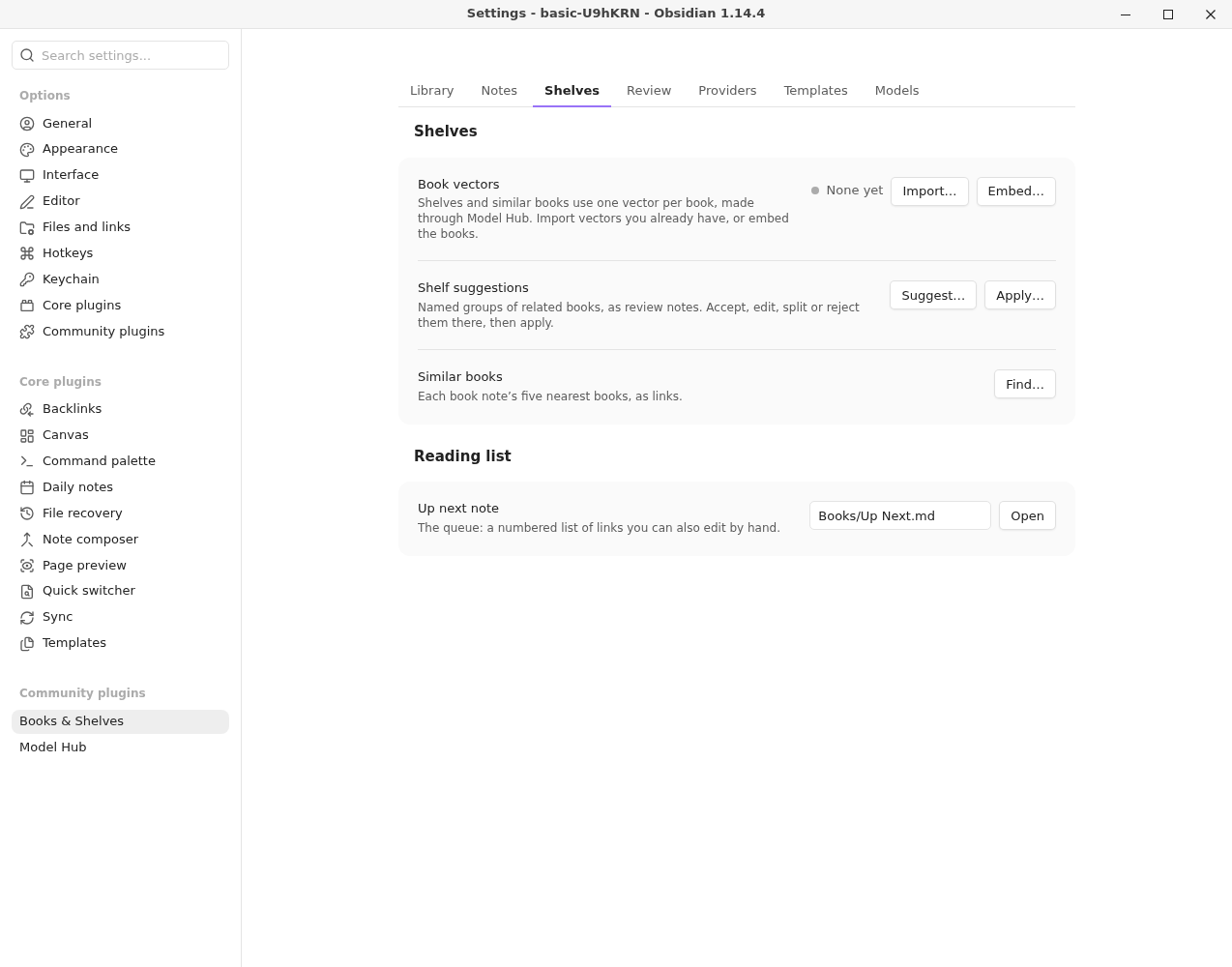
| Setting | What it does | Default |
|---|---|---|
| Apply shelf suggestions… | Turns accepted suggestions (shelves made from a description) into shelves. | |
| Check shelves… | Finds pairs of shelves that look like the same shelf, by name and shared books. See Shelf health. | |
| New books’ shelves… | Reviews the shelves offered to new books. | |
| Wishlist folder | Where Grow this shelf keeps books that fit a shelf and aren't in your library. See Grow a shelf. | Books/Wishlist |
| Books to ask for | How many books one Grow this shelf asks for (1 to 50). | 15 |
| Find similar books… | Writes each book note's five best matches by words as links. | |
| Up next note, then Open the reading list | The reading queue: a numbered list you can edit by hand. | Books/Up Next.md |
Suggesting shelves from what your books are about, checking a shelf by what its books are about, and offering new books to the shelves they suit need Topic Map. Each shows as one line, Install Topic Map to …, where its row would be.
Review#
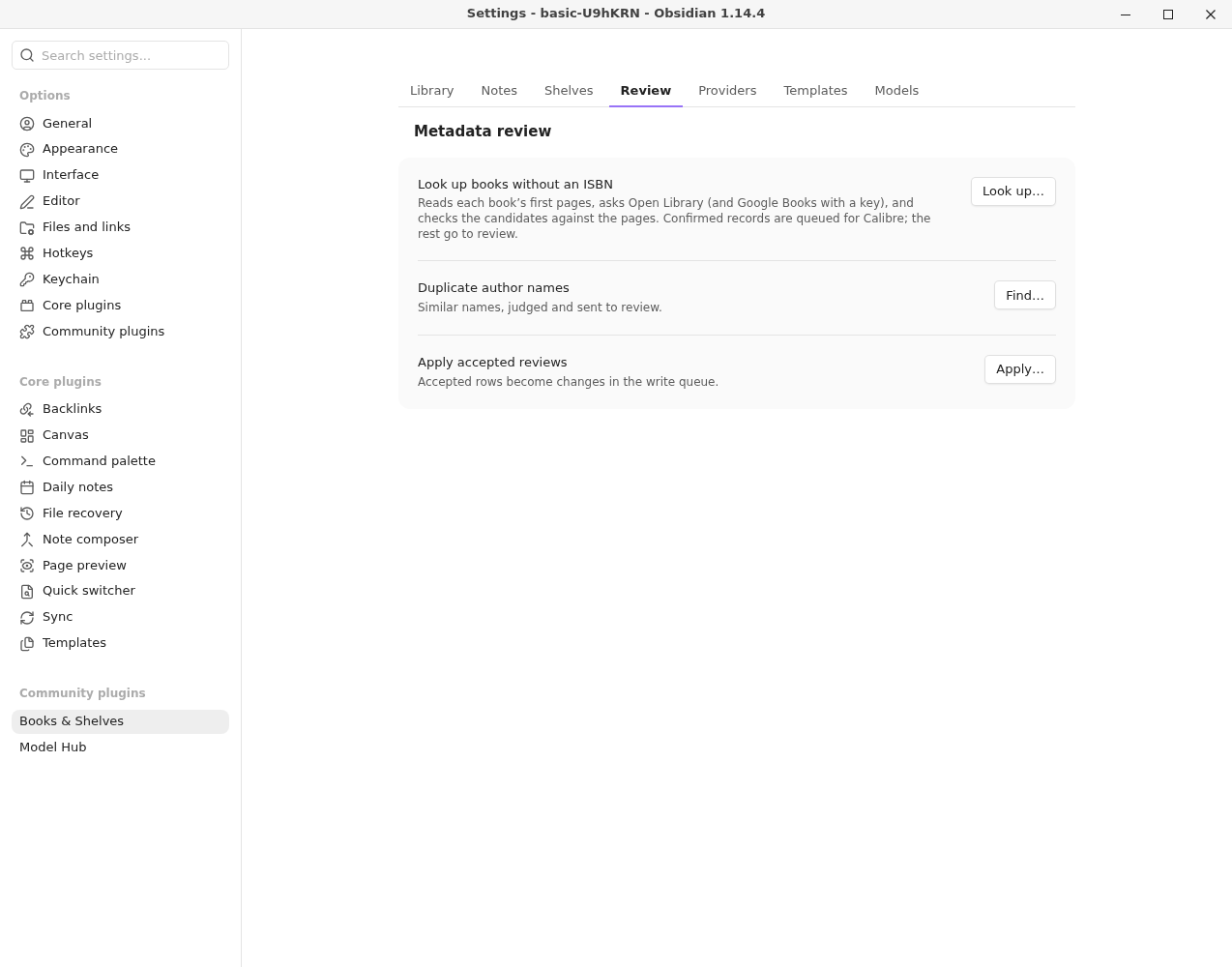
| Setting | What it does |
|---|---|
| Look up books without an ISBN… | Reads each book's first pages and looks its details up. |
| Find duplicate author names… | Sends likely duplicates to review. |
| Apply accepted reviews… | Turns accepted rows into changes in the write queue. |
Providers#
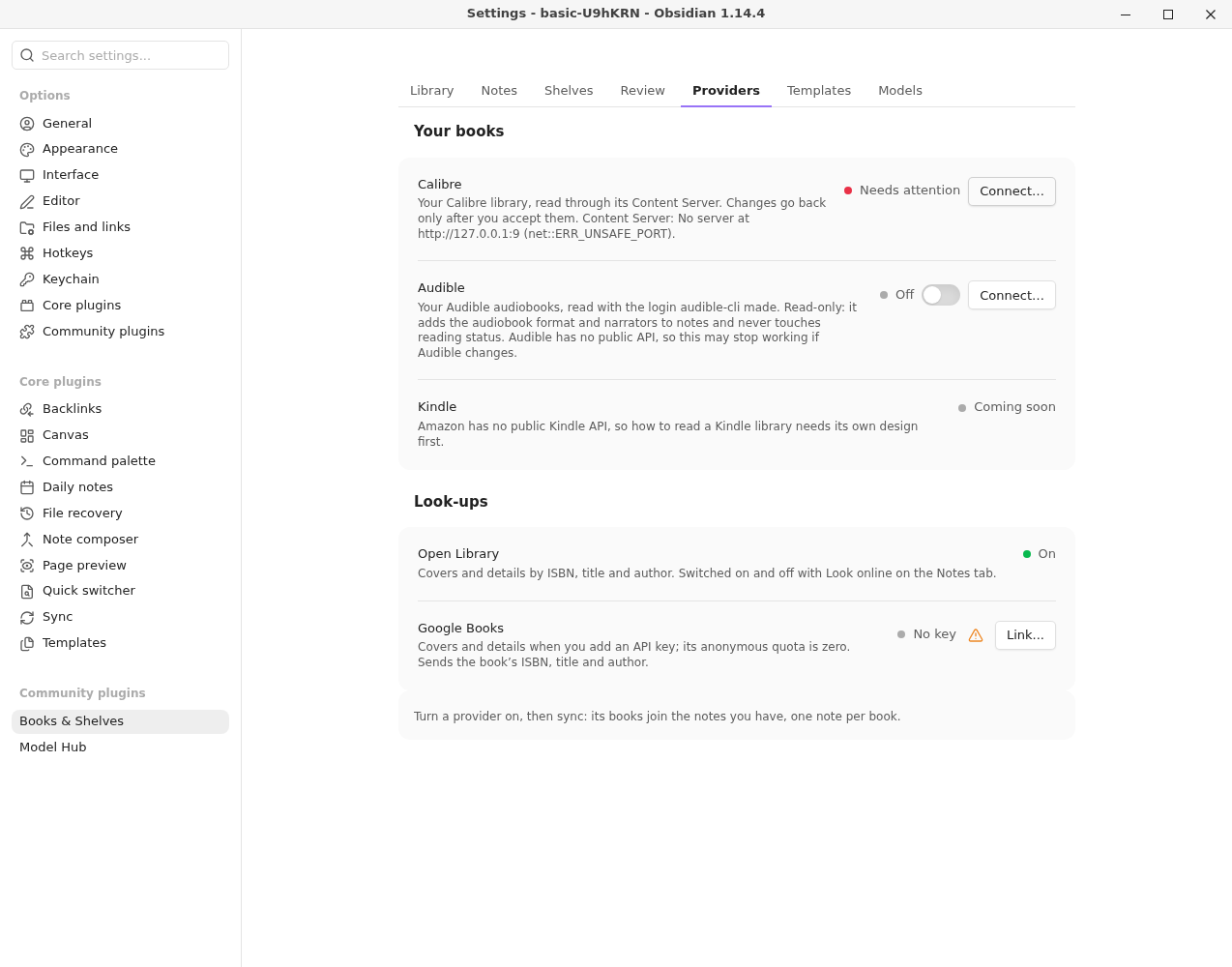
Under Your books, one page per provider, with its state and a warning when it needs you. Each page has On (all but Calibre) and Connect… to set it up and test it. See Providers.
| Setting | What it does | Default |
|---|---|---|
| Calibre | Always on. Connect… opens its dialog. | on |
| Audible | Only in builds with Audible. A copy without it shows Not in this build if Audible was on. | off |
| OPDS catalog | A Komga, Kavita, Calibre-Web or other OPDS server. See OPDS catalogs. | off |
| Readwise | Your highlights from other readers. See Readwise. | off |
| Hardcover | Your statuses, ratings and dates. See Hardcover. | off |
| Audiobookshelf | Your server's audiobooks and ebooks. See Audiobookshelf. | off |
| Open Library | Under Look-ups. Cover and detail look-ups. Follows Look online on the Notes page. | on |
| Google Books | Under Look-ups. The same, once you add a key. | no key |
| Notes for books only another provider has | A book only another provider has (an audiobook with no Calibre book) gets its own note. Turn it off to add their details only to notes you already have. | on |
Templates#
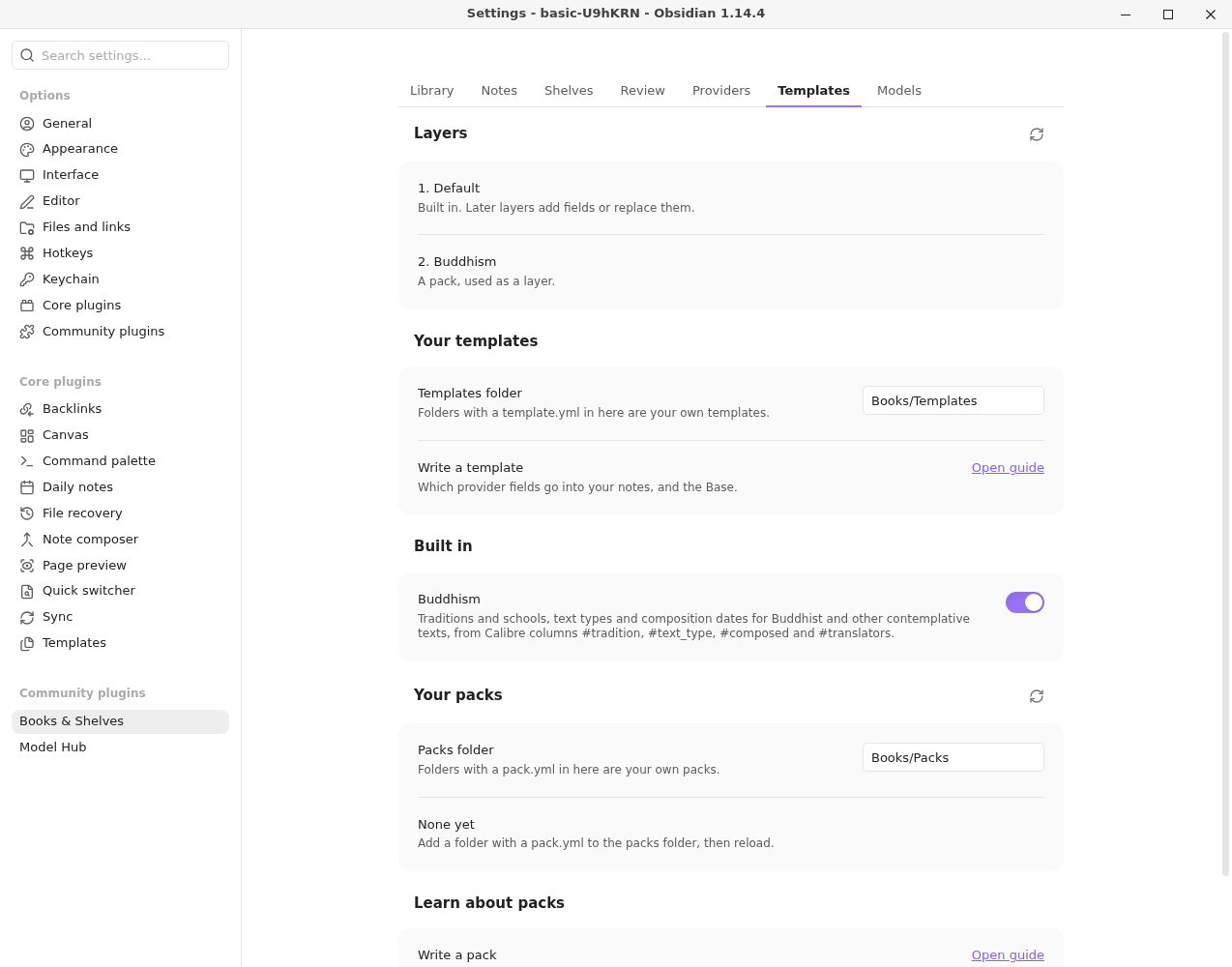
| Setting | What it does | Default |
|---|---|---|
| Layers | The default, packs and your templates, in order, with any problems. | |
| Templates folder | Folders with a template.yml in here are your own templates. | Books/Templates |
| Update the library Base from the template… | Writes Library.base from the template, showing a diff first. | |
| Write a template | Opens Templates. | |
| Packs folder | Under Your packs. Folders with a pack.yml in here are your own packs, used as template layers. The button beside the heading reloads them. A pack that used to be built in and was on is listed with how to add it here, and Dismiss. | Books/Packs |
| Write a pack | Opens Packs. |
Sharing#
| Setting | What it does | Default |
|---|---|---|
| Templates folder | Under Share templates. One YAML file per share template. Each template is listed below with Edit… (or Customize… for a built-in one), then New template…. See Sharing shelves. | Share templates |
| Share shelves… | Writes every shelf that has a share property, after a preview, with undo. | |
| Publish skill | The Model Hub skill that writes a book's page. See Publishing a book. | publish-book |
| Most to spend on one shelf run, in dollars | Publish this shelf's books… stops once this much is spent, and lists the books it didn't reach. | 2 |
Models#
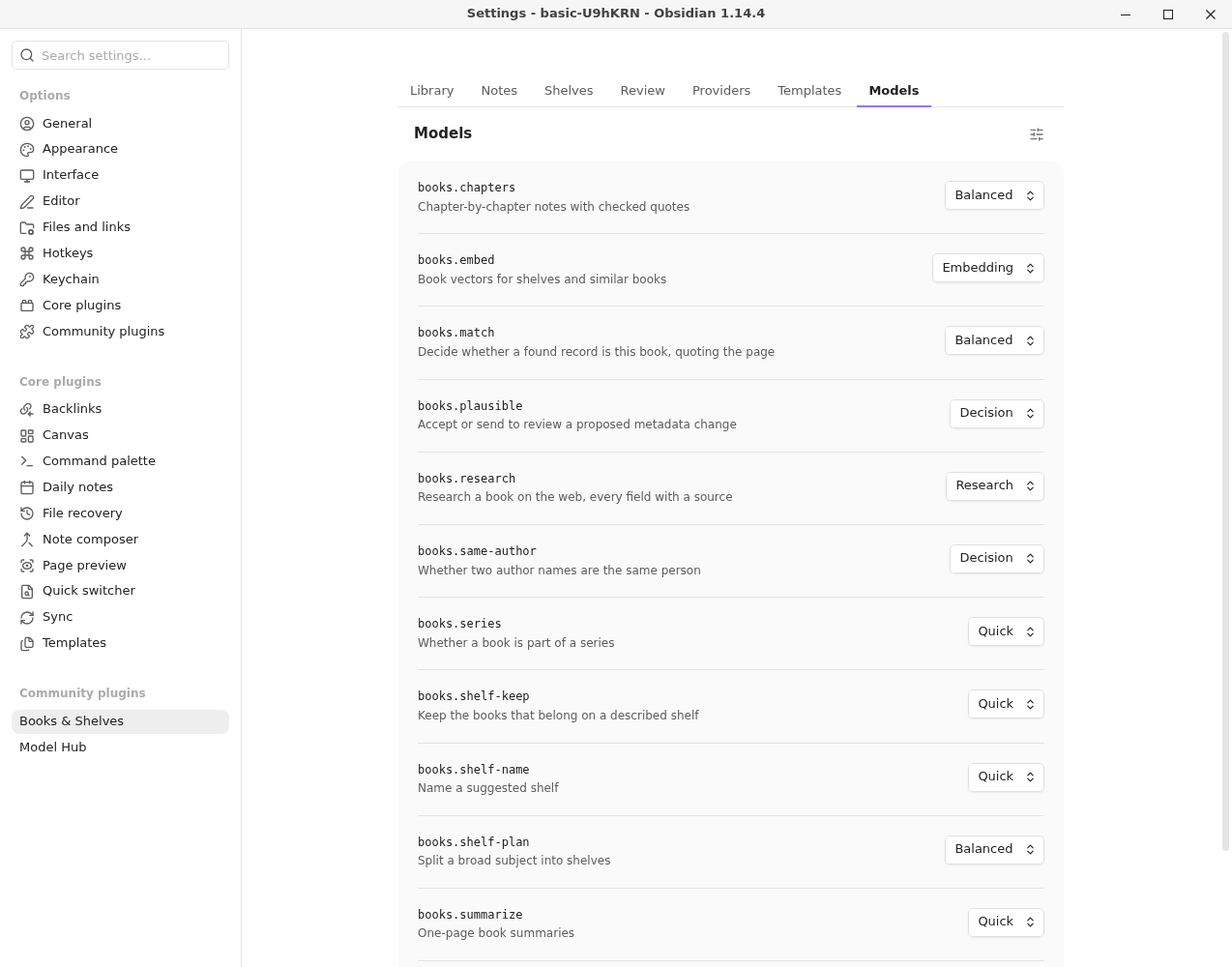
Each task given to a model, and the Model Hub tier it runs on. Choose another tier here, or open Model Hub's editor (the button beside the heading) for a task's own models and limits. Without Model Hub, the page says Waiting for Model Hub.
| Task | What it does | Default tier |
|---|---|---|
library-hub.title-page | Reads a book's title page | Quick |
library-hub.research | Researches a book on the web, each field with a source | Research |
library-hub.match | Decides whether a found record is this book | Balanced |
library-hub.plausible | Accepts a proposed change or sends it to review | Decision |
library-hub.same-author | Judges whether two author names are one person | Decision |
library-hub.summarize | One-page summaries | Quick |
library-hub.chapters | Chapter notes with checked quotes | Balanced |
library-hub.publish | Writes a book's public page | Research |
library-hub.shelf-name | Names a suggested shelf | Quick |
library-hub.shelf-keep | Keeps the books that belong on a described shelf | Quick |
library-hub.shelf-plan | Splits a broad subject into shelves | Balanced |
library-hub.shelf-grow | Suggests books that fit a shelf and aren't in your library | Balanced |
library-hub.series | Judges whether a book is part of a series | Quick |