Authors
A note for each author you have several books by, listing them and how many you have read.
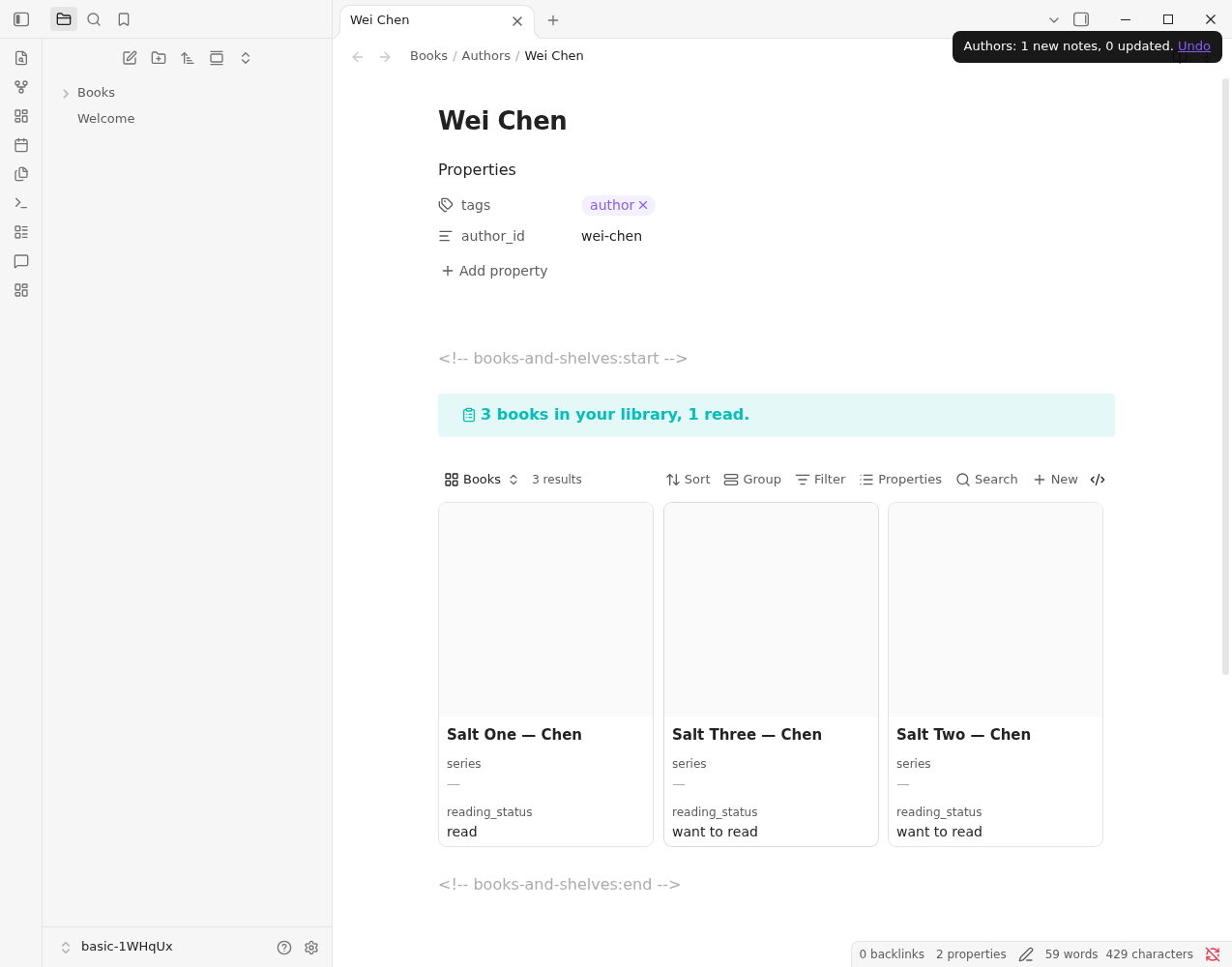
Run Sync: Update author notes. For every author with at least three book notes (change the number in Settings → Notes → Authors), it makes a note in the authors folder (by default Books/Authors) with a summary line (3 books in your library, 1 read.) and their books as cards.
- One person, however the name is written. "Wei Chen" and "Chen, Wei" are one author, and the note lists books under every spelling it finds. Notes with an unknown or missing author are skipped.
- A book with several authors appears on each author's note.
- Your text is kept. The generated part sits between two comment lines; write above or below it and it stays when the notes are updated.
- Undo. A new note goes to the trash and an update puts the earlier text back, from the notice or the Library panel's Changes you can undo.
- Read counts books whose reading status is read.
The note is yours to extend: add a link to the author's page, the translators you like, or what to read first.