Survey a collection
Let Topic Map propose what a collection is about and the fields you can filter its books by.
A survey reads a sample of each document and proposes two things for the collection note: its context (what the collection is about) and, for books, each book's fields. For the nonfiction lens these include the author's role and whether they write from their own experience. Each proposal comes with a quote behind it.
Fields are what the search filters use.
Steps#
- Run Survey… (the panel’s ⋯ menu) and pick the collection. Or select Survey… in the collection's dialog.
- Read the dry run: the documents, the size of what would be sent, and the number of calls. No model has been called.
- Set a spend limit if you want one, and run it.
- Read what it would change in the collection note, shown as old → new.
- Select Write to accept. Nothing is written until you do.
A collection of notes or Base rows gets its context, and a table of the properties its notes use:
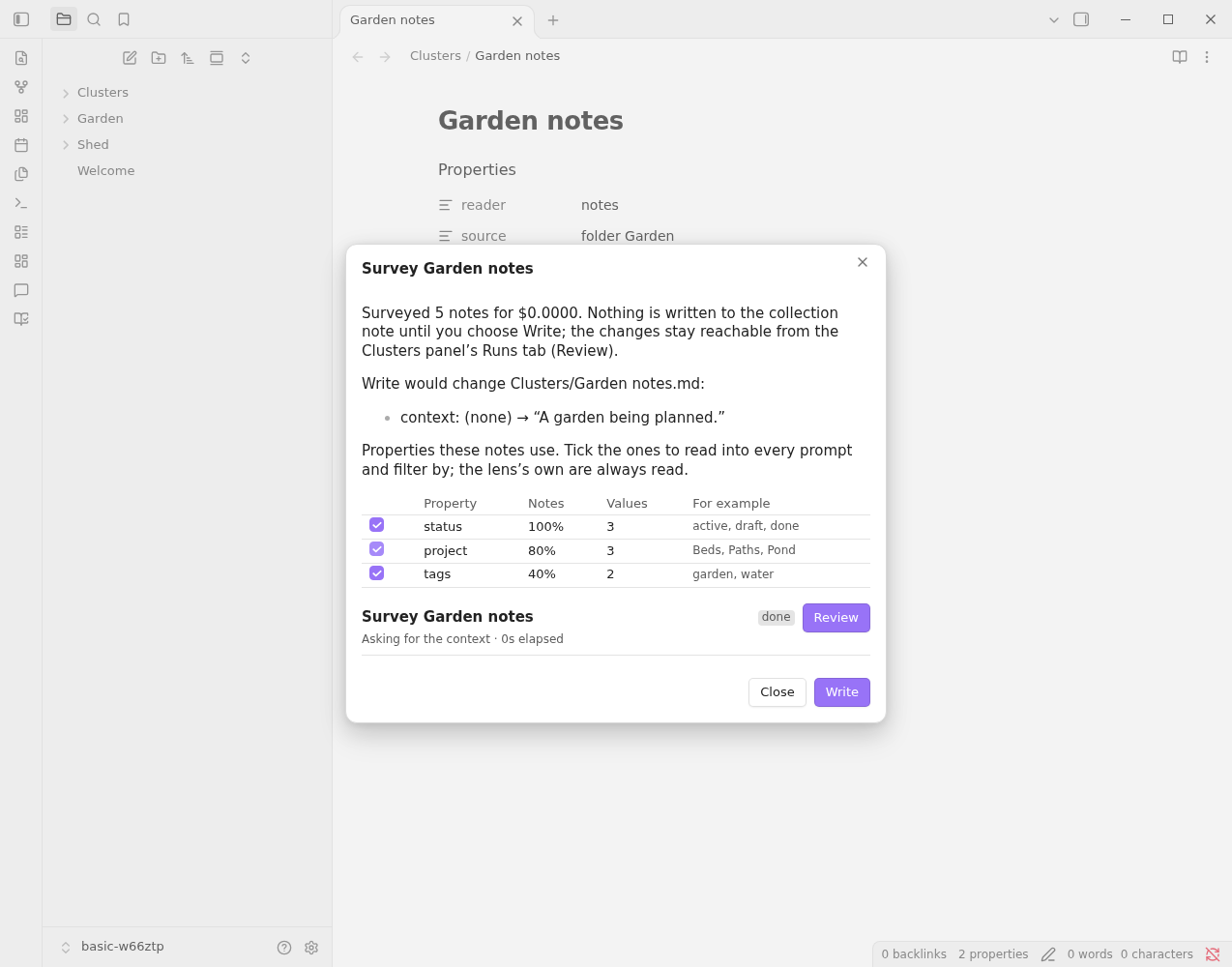
For each property the table shows the share of notes that have it, how many different values it takes, and a few examples. Tick a property and Write adds its name to the collection note’s fields, so it is read into every prompt and can be filtered by in search. The properties the lens already reads (for the notes lens: tags, status and created) are always read, so they show ticked and can’t be unticked. Ones already in fields show ticked too.
Only properties worth filtering by are offered: those on at least 30% of the notes, with 2 to 50 different values. Writing the survey is logged, and Undo a run puts the note back as it was.
If you close the dialog, the result stays reachable from the panel’s Runs tab, under Review.