Settings
Every setting, in the order the settings pages show them.
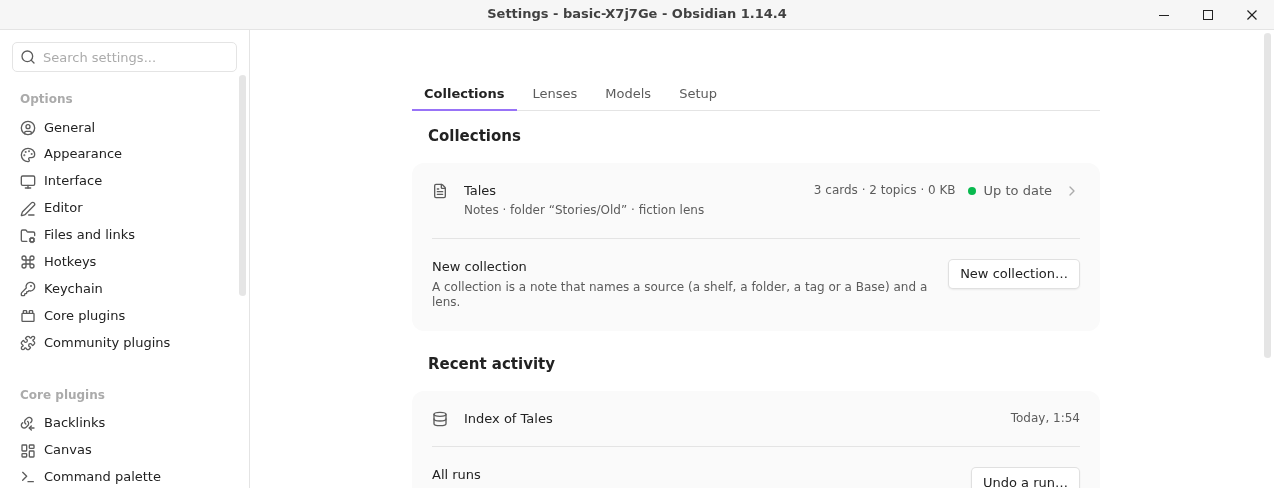
Collections#
| Setting | What it does | Default |
|---|---|---|
| New collection… | Makes a collection note from a name, a source and a lens. | |
| A collection's row | Opens the collection: Index…, Find topics…, Survey…, its runs and Open note. | |
| Recent activity | The latest runs across collections. | |
| Undo a run… | Takes back a run while its backups are kept. |
Lenses#
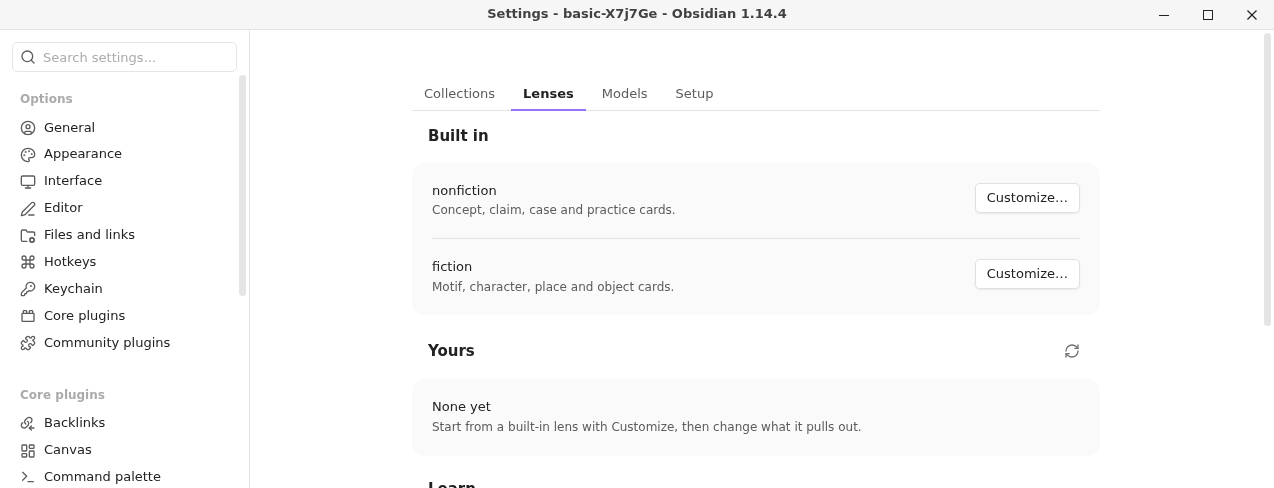
| Setting | What it does | Default |
|---|---|---|
| Built in | The nonfiction and fiction lenses, each with Customize…. | |
| Yours | The lenses in Model Hub's skills folder, with what the check says about each. | none |
| Learn | Links to these pages. |
Models#
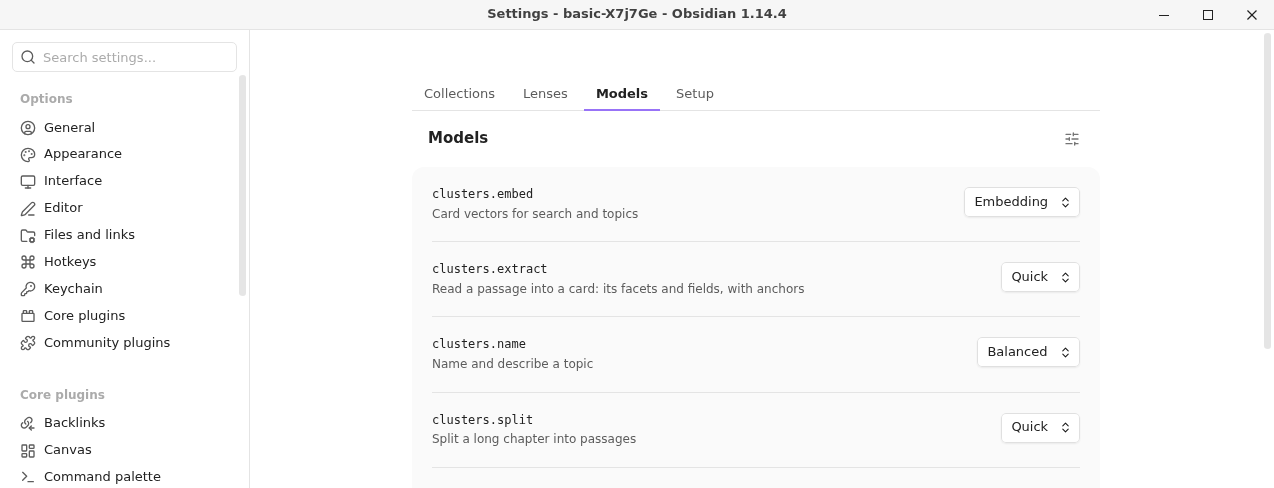
Each task Topic Map gives a model, and the Model Hub tier it runs on. Choose another tier from the dropdown. The sliders button (Own models and limits) opens Model Hub's editor for that task; the arrow (Back to the default) undoes your change.
| Task | What it does | Default tier |
|---|---|---|
topic-map.extract | Reads a passage into a card | Quick |
topic-map.split | Splits a long chapter into passages | Quick |
topic-map.name | Names and describes a topic | Balanced |
topic-map.survey | Surveys a collection for its fields | Balanced |
topic-map.write | Drafts a write-up from cited cards | Careful |
topic-map.embed | Makes the vectors for search and topics | Embedding |
Setup#
| Setting | What it does | Default |
|---|---|---|
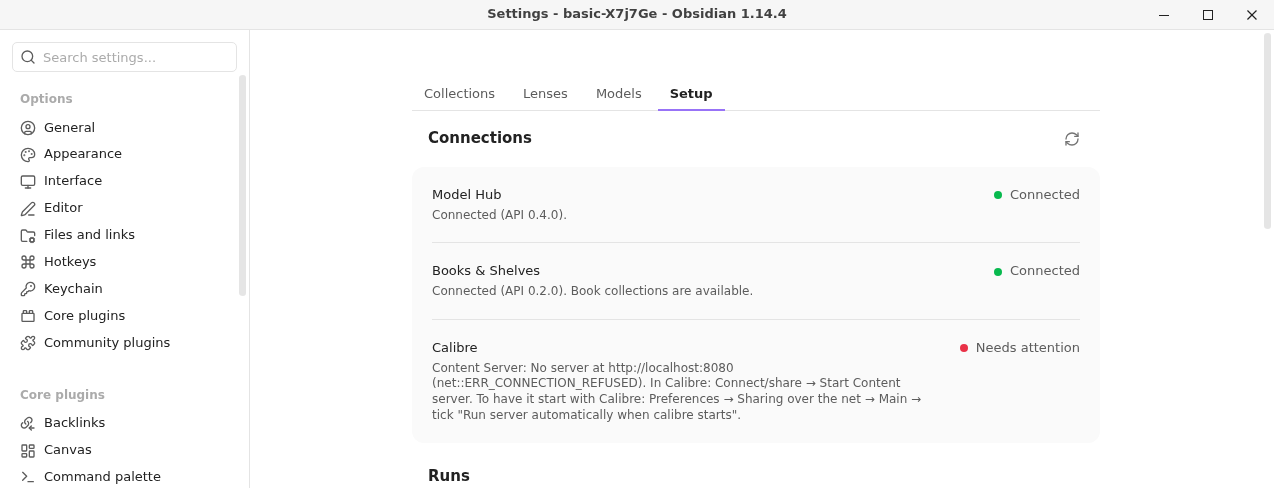
| Connections | Whether Model Hub, Library Hub and Calibre's Content Server are reachable, with a button to check again. With Library Hub 0.2, the Calibre row also says when the server refuses changes, and where in Calibre to allow them. When Obsidian's own update check has found a newer Model Hub or Library Hub, the row says so. That check covers plugins from the community directory; Topic Map makes no request of its own. | |
| Keyword matching | How cards are ranked for a question. Meaning only ranks by similarity of meaning. Words and meaning also ranks the cards that use your question's own words and names, which finds a name, an acronym or a coined term that meaning alone ranks low, but ranks broad questions a little worse. Search, Draft and the topic-map.* tools all follow it. See Search a collection. | Meaning only |
| Show every card | Off: a term repeated across passages and books shows once in search, with its versions under Versions. On: every card shows on its own. See Repeated terms. | Off |
| Keep up to date spends up to | US dollars a day across every collection with Keep up to date on. Automatic runs stop at this amount and carry on the next day. | 1 |
| Convert AZW3 and MOBI books | A book with only an AZW3 or MOBI needs an EPUB. Ask each time lets a run ask before Calibre converts one (the conversion adds an EPUB to the book in your library); Never leaves those books out and names them in the dry run. | Ask each time |
| Collection notes | The folder with one note per collection. | Topic Map |
| Topic notes | The folder for topic maps, one subfolder per collection. | Topic Map/Topics |
| Topic note layout | What Find topics writes. One note per family writes a note for each family with its topics as sections inside it, so the vault holds about a tenth of the notes and plugins that index the whole vault (Dataview, Omnisearch and the like) stay lighter. One note per topic writes a folder per family with a note for every topic. After changing it, the next Write replaces the notes in the other layout: the dry run counts the notes it writes, replaces and removes, and Undo a run takes it back. A note you edited is kept. See Find topics. | One note per family |
| Drafts | The folder for write-up drafts. | Topic Map/Drafts |
| Index folder | Where each collection's paid record goes: its passages, readings, cards, topics and embedding spec. In the vault, whatever syncs and backs up your notes carries it; large files are kept as parts under 4 MB. Obsidian Sync skips folders whose name starts with a dot, so choose one without. Vectors stay in the plugin's folder: on another device they are made again from the record, which is a paid re-embed. A collection indexed before this setting stays where it is until you choose Move…, which Undo a run takes back. | Topic Map index in the collection notes folder |
| Keep the library index up to date | Once the library is indexed for Library Hub, the books Library Hub adds or changes are embedded on their own, as automatic runs within the Keep up to date limit. Off: new books wait until the library is indexed again. | Off |
| Color the Graph view | Find topics adds a color group per family to the core Graph view. It edits graph.json, keeping your own groups, and Undo a run takes them back. Off: Topic Map leaves graph.json alone. | Off |
A folder that doesn't exist yet is made when first needed.
Commands#
Obsidian's command palette lists eight Topic Map commands. Everything else is a button in the panel: its toolbar (Commands…, Jobs, Undo a run…, and the gear's Setup menu), its collection buttons, and its ⋯ menu. A collection note's right-click menu and a topic note's offer the commands that apply there.
| In the palette | What it does |
|---|---|
| Search (Use) | Opens the search pane. |
| Index… (Collection) | Reads a collection into cards. |
| Find topics… (Collection) | Groups the cards into named topics and writes their notes. |
| Draft a write-up… (Use) | Answers a question from the cards, in a note. |
| Show in the panel (This topic) | Opens the topic in the panel; offered on a topic note. |
| Open the panel (Setup) | Opens the panel. Its Runs tab has the jobs running now and the runs that finished; the Jobs view has every collection’s jobs. |
| Undo a run… (Setup) | Takes back a run. |
| Commands… (Setup) | Opens every command, grouped by area. |
| In the panel | Where |
|---|---|
| Preview passages, Survey…, Suggest a split…, Re-embed with the current model… | the ⋯ menu |
| Choose models for each task, Customize this lens…, Check my lenses | the gear (Setup) in the toolbar |
| Jobs | the toolbar |
| Open local graph | a topic note's right-click menu, or Commands… → This topic |
If you gave one of the commands that moved a hotkey, Topic Map tells you once, by name.