Search a collection
Ask a question, read the cards that match, open the passage behind each, and see where books disagree.
Before you start#
The collection is indexed: see Index a collection.
Steps#
- Run Topic Map: Use: Search. A pane opens at the side.
- Pick a collection and type a question.
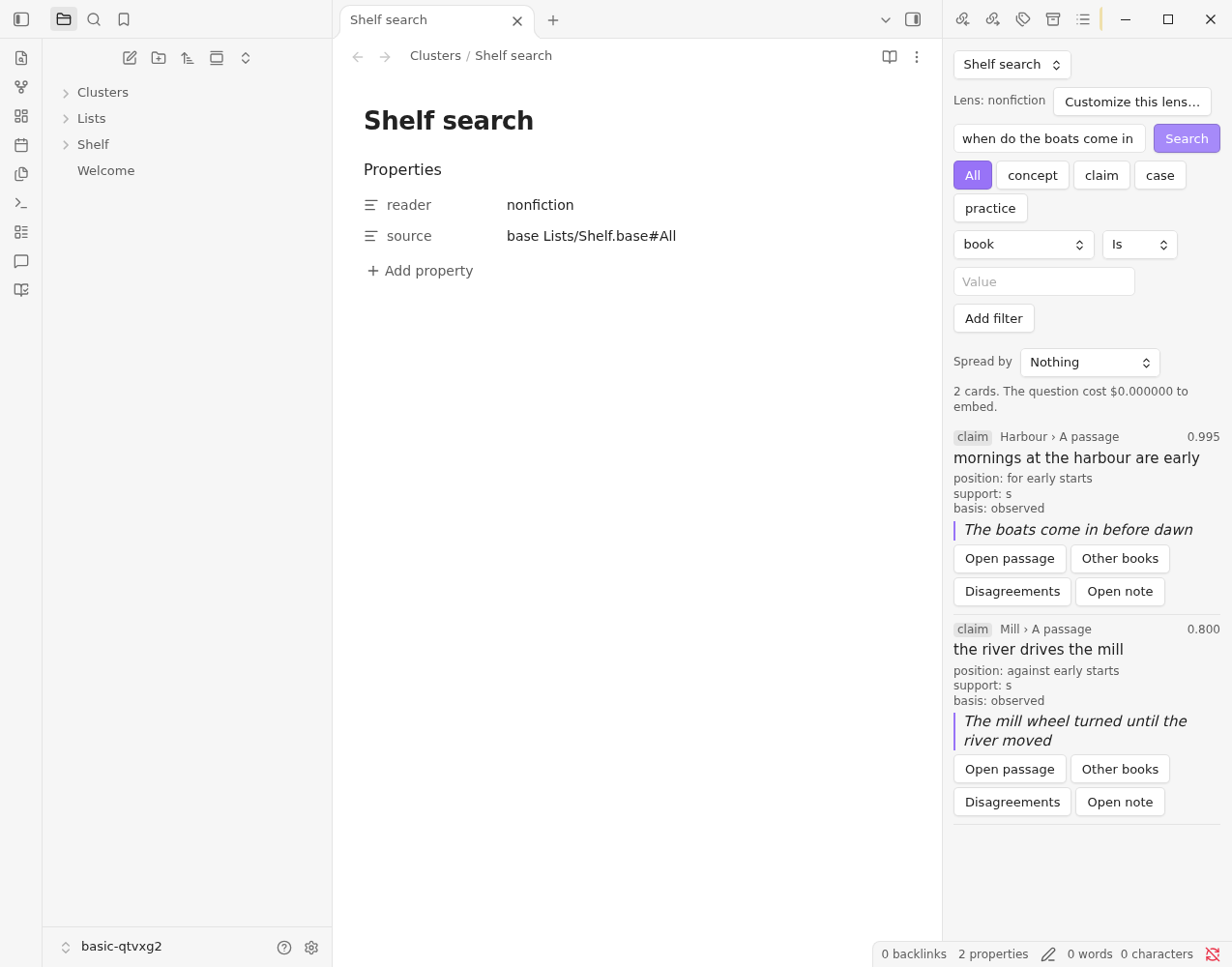
- Read the cards. The tabs across the top are the lens's facets: for the nonfiction lens, concepts, claims, cases and practices.
- Narrow the cards with the filters. They come from the collection's fields: a book's fields, a note's properties or a Base's columns.
A notes collection read by the notes lens has the facets idea, claim, decision and question. Choose question and ask what is still open, and the cards are the questions your notes leave unanswered, each with the note it came from.
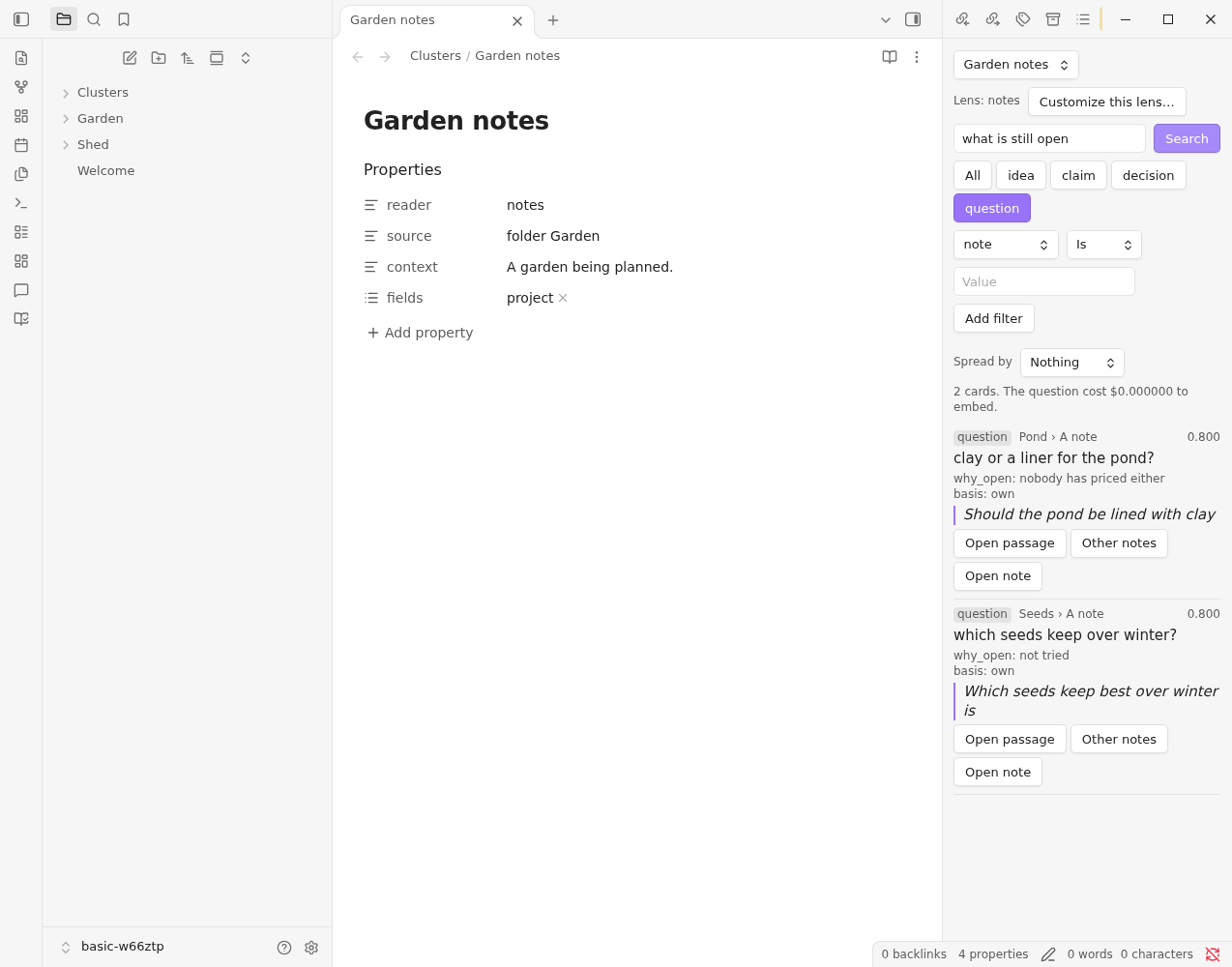
Each card shows where it comes from (the book or note, and the passage), how closely it matches, and its quote.
A term that several passages or books repeat shows once, with how many books and versions it comes from. Versions lists each. See Repeated terms; Setup → Search → Show every card turns this off.
Words and meaning#
Cards are ranked by how close their meaning is to your question. That can rank a card low when the question is a name or a rare term, such as a person, a program, an acronym or a word one book coined, because meaning alone doesn't weigh rare words.
Turn on Keyword matching → Words and meaning (Settings → Topic Map → Setup) and the ranking also counts:
- the cards, passages and book titles that use your question's own words, rarest words first;
- the cards that name a person, program or place your question names;
- a book title or a name you have nearly right.
On a test collection, it put cards about a name or a term at the top far more often. On broad questions across books ("which books link masking to burnout?"), it still found a good first card more often but ranked the rest a little worse, so it is off by default. With it on, a card's number is its combined rank, from 0 to 1, rather than its similarity.
From a card#
- Open passage shows the text behind the card with the quote highlighted, and the passages either side of it.
- Open in book, on a card from a book, opens the book in Library Hub's reader, in a new tab, at the card's quote. When the reader can't find the quote it opens at the passage's chapter, and when it can't find that either, at the start of the book, and says so. A card with no quote goes by the first sentence of its passage. The passage dialog has the same button, and, for a note or a Base row, Open note, which opens the note at the passage's heading. Opening a book needs Library Hub 0.5 or later; with an older one, Topic Map says so and shows the passage instead.
- Other books shows cards that say something similar in other books.
- Disagreements shows cards on the same subject that take a different position. It appears for facets that record a position, such as claims.
- Open note opens the book's note, the source note or the Base row.
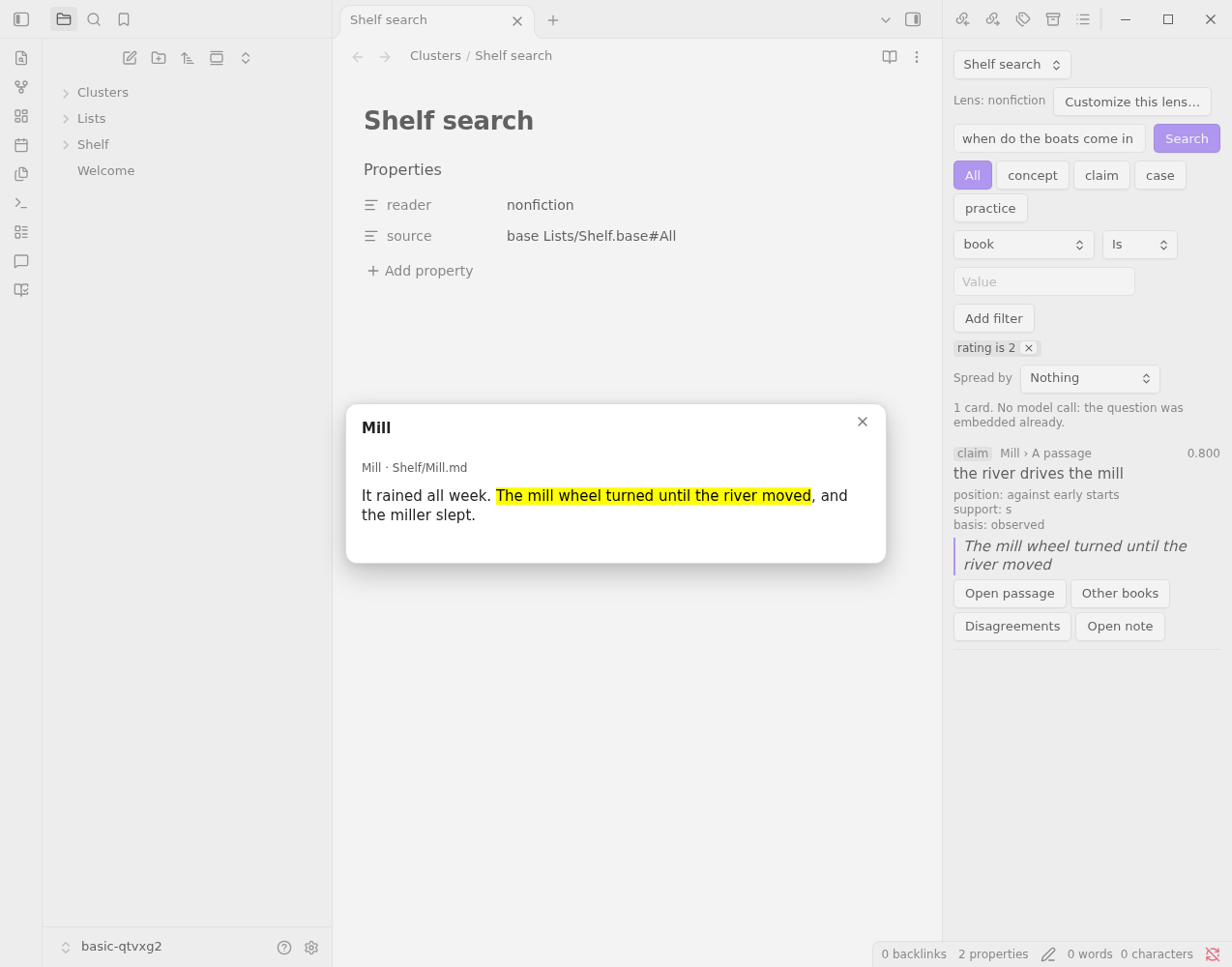
Back returns to the list.
A passage from anywhere#
Every card's passage has its own link, which opens the passage dialog wherever you follow it: a topic note's passage links (see Find topics), the cards in the panel's topic view, or a link you paste into any note:
obsidian://topic-map-passage?vault=<vault>&corpus=<collection>&unit=<passage>&card=<card>
vault is optional: with it, the link opens in that vault (Obsidian opens the vault if it's closed), which matters when more than one vault runs Topic Map. Topic notes include it. corpus is the collection note's name (or its path). card is optional: with it, the card's quote is highlighted; a link with only a card finds its passage.
What it costs#
Search only reads. Its one model call is embedding your question, once per question. Changing a filter or a facet costs nothing more.