Beta. Clusters is not released yet. These pages describe the build in progress.
Settings
Every setting, in the order the settings tabs show them.
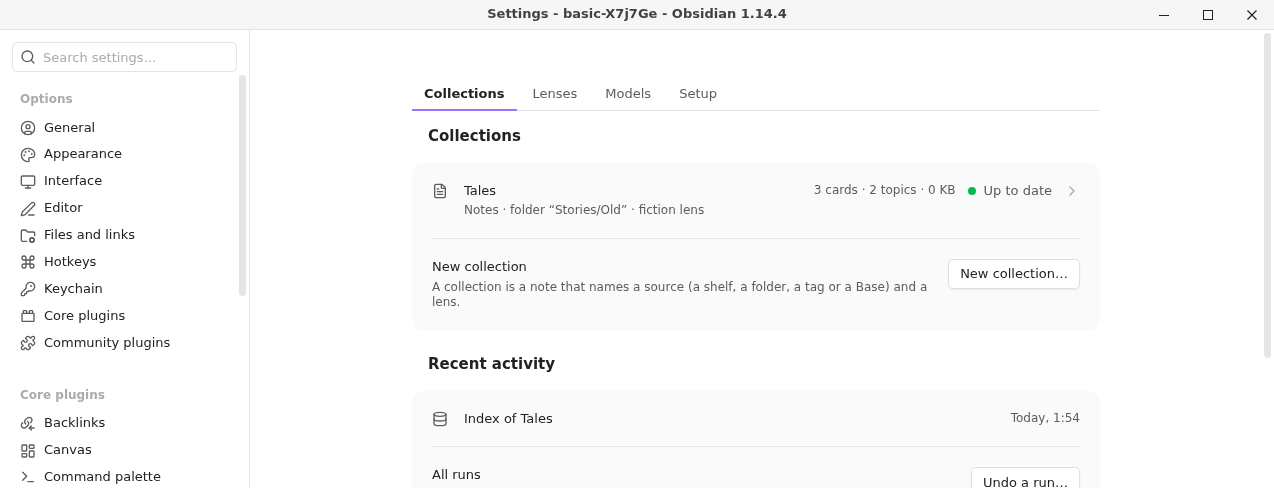
Collections
| Setting | What it does | Default |
|---|---|---|
| New collection… | Makes a collection note from a name, a source and a lens. | |
| A collection's row | Opens the collection: Index…, Find topics…, Survey…, its runs and Open note. | |
| Recent activity | The latest runs across collections. | |
| Undo a run… | Takes back a run while its backups are kept. |
Lenses
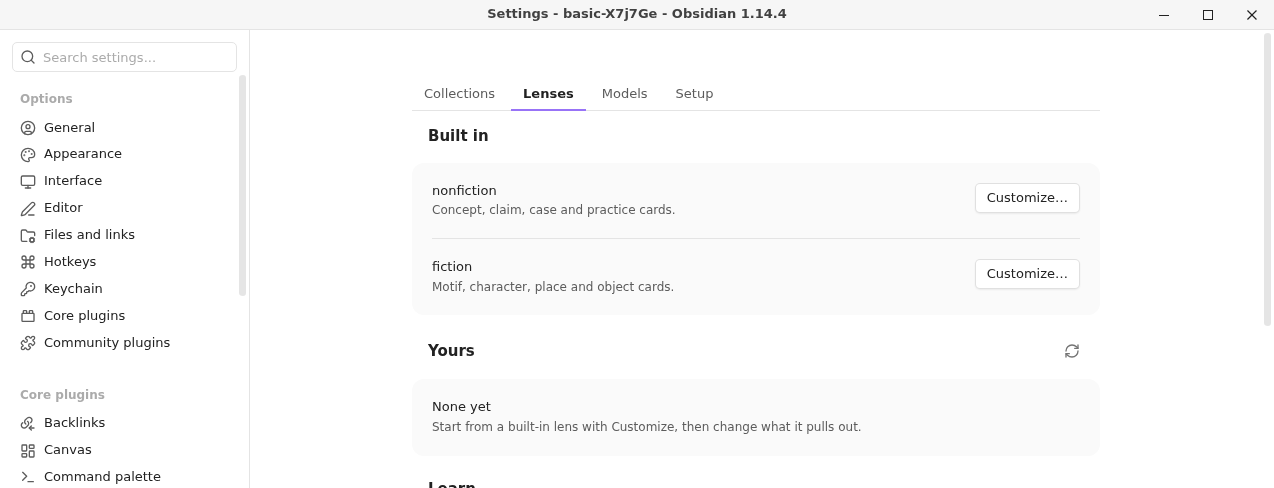
| Setting | What it does | Default |
|---|---|---|
| Built in | The nonfiction and fiction lenses, each with Customize…. | |
| Yours | The lenses in Model Hub's skills folder, with what the check says about each. | none |
| Learn | Links to these pages. |
Models
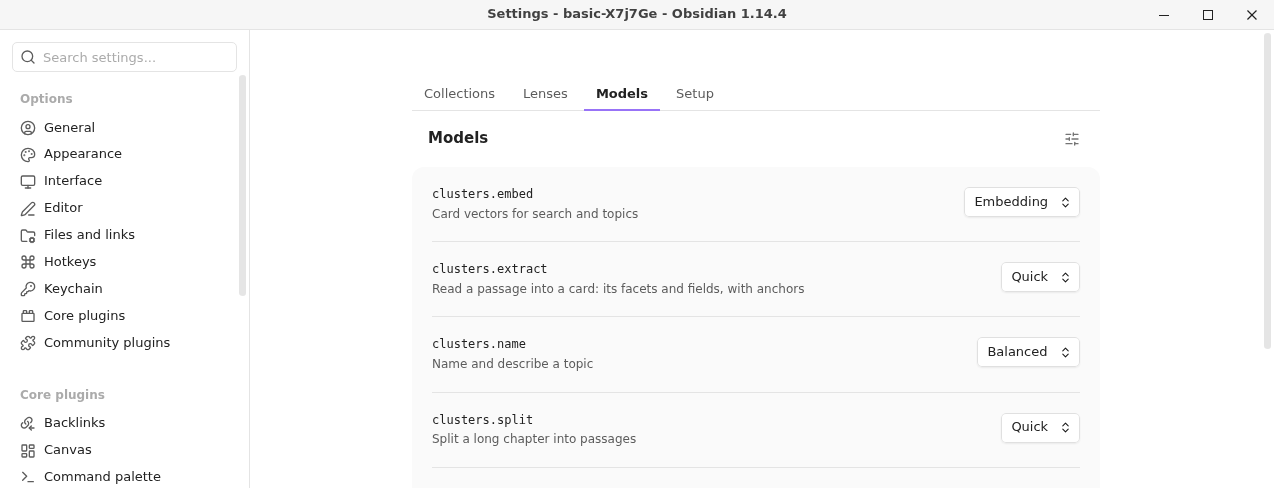
Each task Clusters gives a model, and the Model Hub tier it runs on. Choose another tier from the dropdown. The sliders button (Own models and limits) opens Model Hub's editor for that task; the arrow (Back to the default) undoes your change.
| Task | What it does | Default tier |
|---|---|---|
clusters.extract | Reads a passage into a card | Quick |
clusters.split | Splits a long chapter into passages | Quick |
clusters.name | Names and describes a topic | Balanced |
clusters.survey | Surveys a collection for its fields | Balanced |
clusters.write | Drafts a write-up from cited cards | Careful |
clusters.embed | Makes the vectors for search and topics | Embedding |
Setup
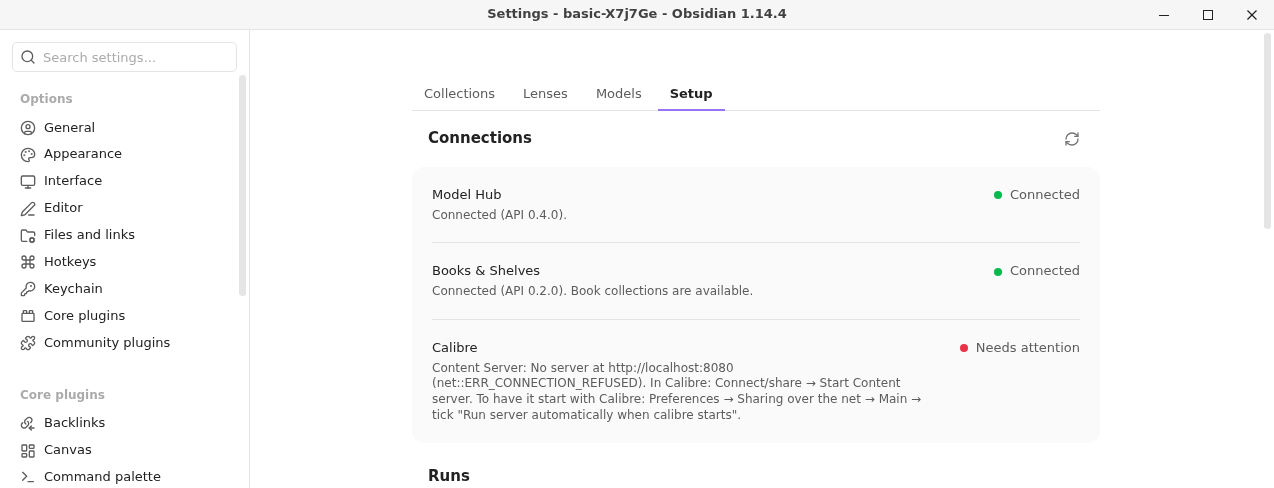
| Setting | What it does | Default |
|---|---|---|
| Connections | Whether Model Hub, Books & Shelves and Calibre's Content Server are reachable, with a button to check again. With Books & Shelves 0.2, the Calibre row also says when the server refuses changes, and where in Calibre to allow them. When Obsidian's own update check has found a newer Model Hub or Books & Shelves, the row says so. That check covers plugins from the community directory, so for plugins installed with BRAT the rows stay quiet; Clusters makes no request of its own. | |
| Keep up to date spends up to | US dollars a day across every collection with Keep up to date on. Automatic runs stop at this amount and carry on the next day. | 1 |
| Convert AZW3 and MOBI books | A book with only an AZW3 or MOBI needs an EPUB. Ask each time lets a run ask before Calibre converts one (the conversion adds an EPUB to the book in your library); Never leaves those books out and names them in the dry run. | Ask each time |
| Collection notes | The folder with one note per collection. | Clusters |
| Topic notes | The folder for topic maps, one subfolder per collection. | Clusters/Topics |
| Drafts | The folder for write-up drafts. | Clusters/Drafts |
A folder that doesn't exist yet is made when first needed.
Commands
| Command | What it does |
|---|---|
| Open search | Opens the search pane. |
| Index a collection… | Reads a collection into cards. |
| Preview a collection's passages | Shows the passages a collection would be split into. Writes nothing. |
| Survey a collection… | Proposes the collection's context and book fields. |
| Find topics in a collection… | Groups the cards into named topics and writes their notes. |
| Open local graph on this topic | Opens the local graph pinned to a topic note. |
| Draft a write-up… | Answers a question from the cards, in a note. |
| Undo a run… | Takes back a run. |
| Open jobs | Shows running and finished jobs. |
| Choose models for each task | Opens the Models tab. |
| Customize this lens… | Makes a lens of your own from a built-in one. |
| Check my lenses | Lists any problem in your lenses. |