Beta. Clusters is not released yet. These pages describe the build in progress.
Index a collection
Read every passage through the lens into cards, with the cost shown first and a limit you set.
Indexing is the step that costs money: each passage is sent to a model once, and each card is embedded for search.
Before you start
- Model Hub is connected and has a provider.
- The collection exists: see Make a collection.
- For books, Calibre's Content Server is running. Settings → Clusters → Setup shows whether it is.
Steps
- Run Clusters: Index a collection… and pick the collection. Or open the collection on the Collections tab and select Index….
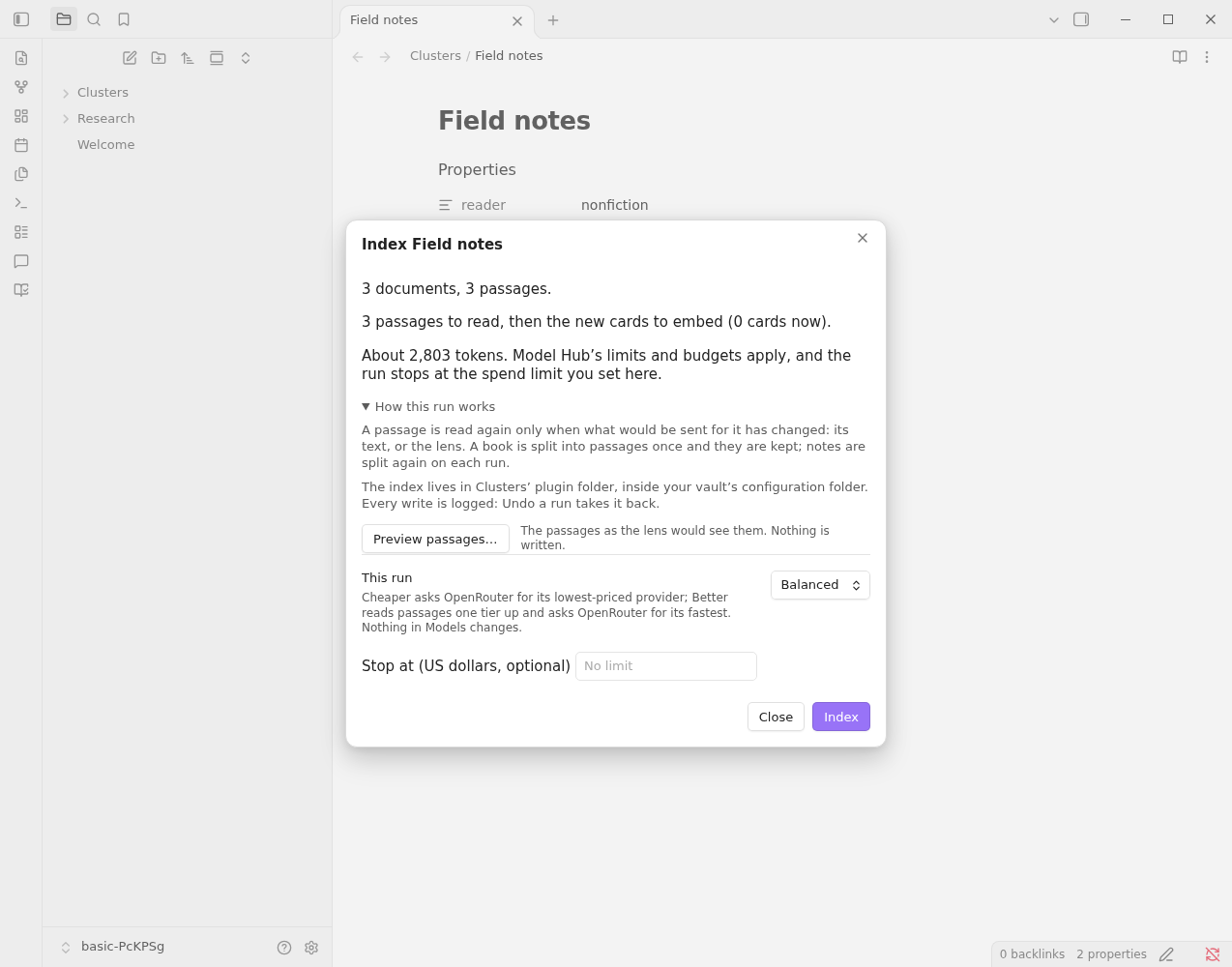
- Read the dry run: the documents and passages, any book without passages and why, what the run would read and embed, and the estimated cost. No model has been called and nothing is written. How this run works, under the fold, says what is read again and why, where the index lives, and opens Preview passages….
- Choose Cheaper, Balanced or Better for this run. Cheaper asks OpenRouter for its lowest-priced provider; Better reads passages one tier up and asks OpenRouter for its fastest. The provider sort acts only through OpenRouter: when the reading task's models don't go through it, Better's tier is what changes, and the dialog says so. Nothing in Models changes.
- Optionally set a spend limit. The run stops when it reaches it. Model Hub's own limits and budgets apply as well.
- Select Index. When the run ends, a short summary says what failed, what was read and embedded and what it cost; the full report is under Full report.
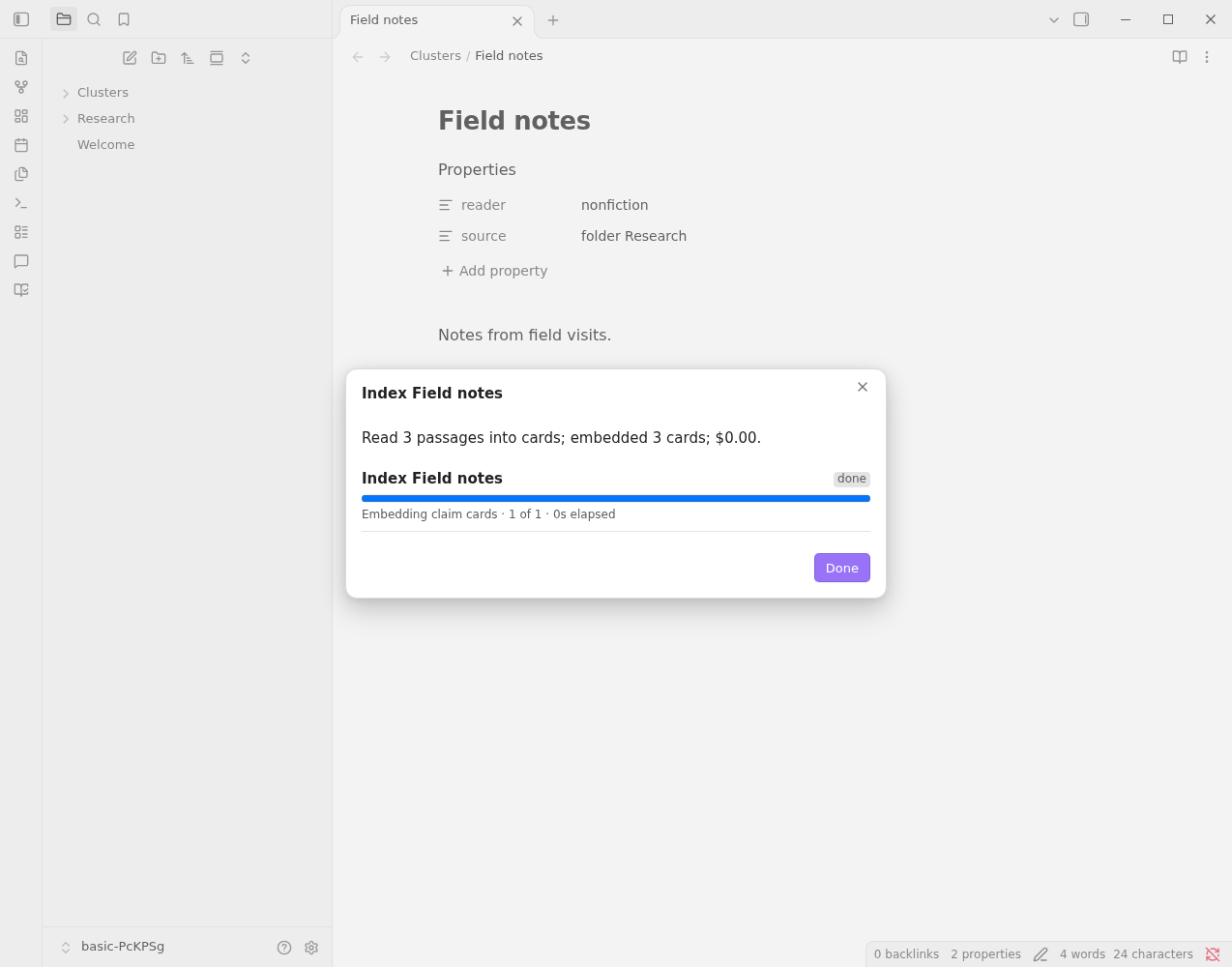
The job shows its progress and its cost so far. It warns when it has made no progress for five minutes. Cancel stops it; so does Clusters: Open jobs.
What a later run does
- A run picks up where the last one stopped.
- A passage is read again only when what would be sent for it has changed: its text, or the lens.
- A book is split into passages once and they are kept. Notes are split again on each run, so new and changed notes are picked up.
If a book needs converting
A book that has only an AZW3 or MOBI file needs an EPUB. By default Books & Shelves asks before it converts, and the conversion adds an EPUB to the book in your Calibre library. Settings → Clusters → Setup → Convert AZW3 and MOBI books set to Never skips those books instead; the dry run names them.
Keep a collection up to date
In the collection's dialog, Keep up to date indexes what changes on its own: notes added, changed or removed in the folder or with the tag, a Base's rows, or a shelf whose members changed in Calibre (compared every half hour). It is off until you turn it on, since it spends money unasked. Settings → Clusters → Setup → Keep up to date spends up to caps what all automatic runs may spend in a day; at the cap they pause until tomorrow. Automatic runs never ask to convert a book, and show in Jobs with their cost like any run.
Where the index is kept
In Clusters' plugin folder, inside your vault's configuration folder: .obsidian/plugins/clusters/corpora/. It holds the passages, cards, vectors and run logs. The Collections tab says how much each collection's index takes, on its row and in its dialog.
Uninstalling Clusters deletes every index, including the reading and vectors you paid for. Copy the corpora folder out first if you want to keep them. Your notes stay.