Beta. Clusters is not released yet. These pages describe the build in progress.
Getting started
Install Clusters, make a collection from a folder of notes, index it and search it.
Install
During the beta, Clusters is installed with the BRAT plugin, after Model Hub.
- In Settings → Community plugins, install and enable BRAT.
- Run BRAT: Add a beta plugin for testing and enter
Insurgent-Methods/model-hub. Enable Model Hub, add a provider in its settings and apply a preset on its Tiers tab. - Run the BRAT command again and enter
Insurgent-Methods/clusters. Enable Clusters. - For collections of books, add
Insurgent-Methods/books-and-shelvesthe same way. This is optional.
Open Settings → Clusters → Setup. Under Connections, Model Hub should say Connected.
Make a collection
A folder of notes is the quickest start.
- Open Settings → Clusters → Collections and select New collection….
- Give it a Name.
- Set Source to Notes in a folder and enter the folder's path.
- Choose a Lens: nonfiction for notes that argue, explain or advise; fiction for stories.
- Select Create.
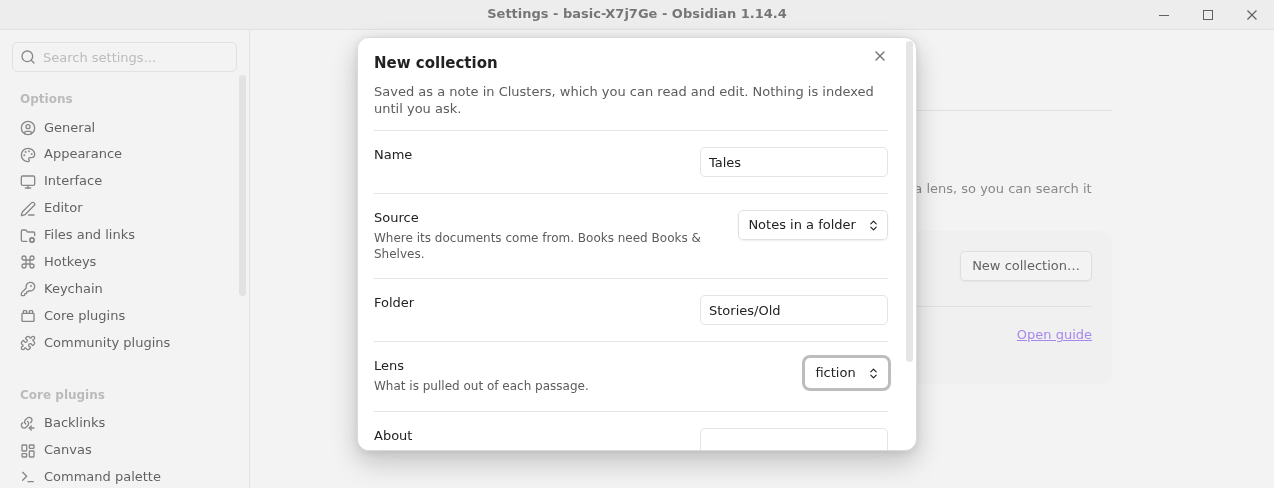
The collection is saved as a note in the Clusters folder. Nothing is indexed yet.
Index it
- Run the command Clusters: Index a collection… and pick the collection.
- Read the dry run: how many passages it would read and an estimate of the tokens. Nothing has been sent yet.
- Set a spend limit if you want one, then select Index.
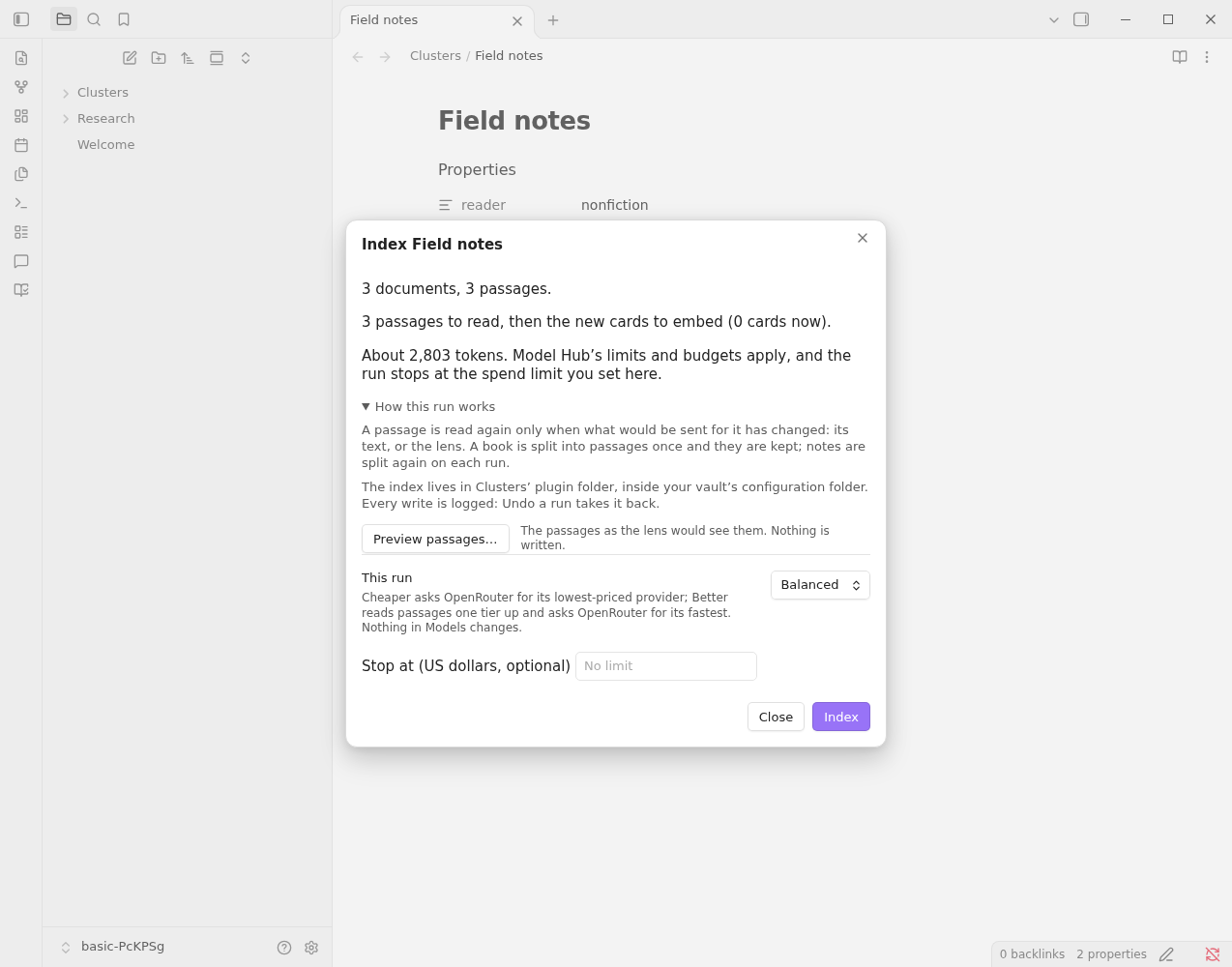
The job shows its progress and its cost so far. You can cancel it; a later run picks up where it stopped.
Search it
- Run Clusters: Open search. A pane opens at the side.
- Pick the collection and ask a question.
- Select a card to open its passage, with the quoted words highlighted.
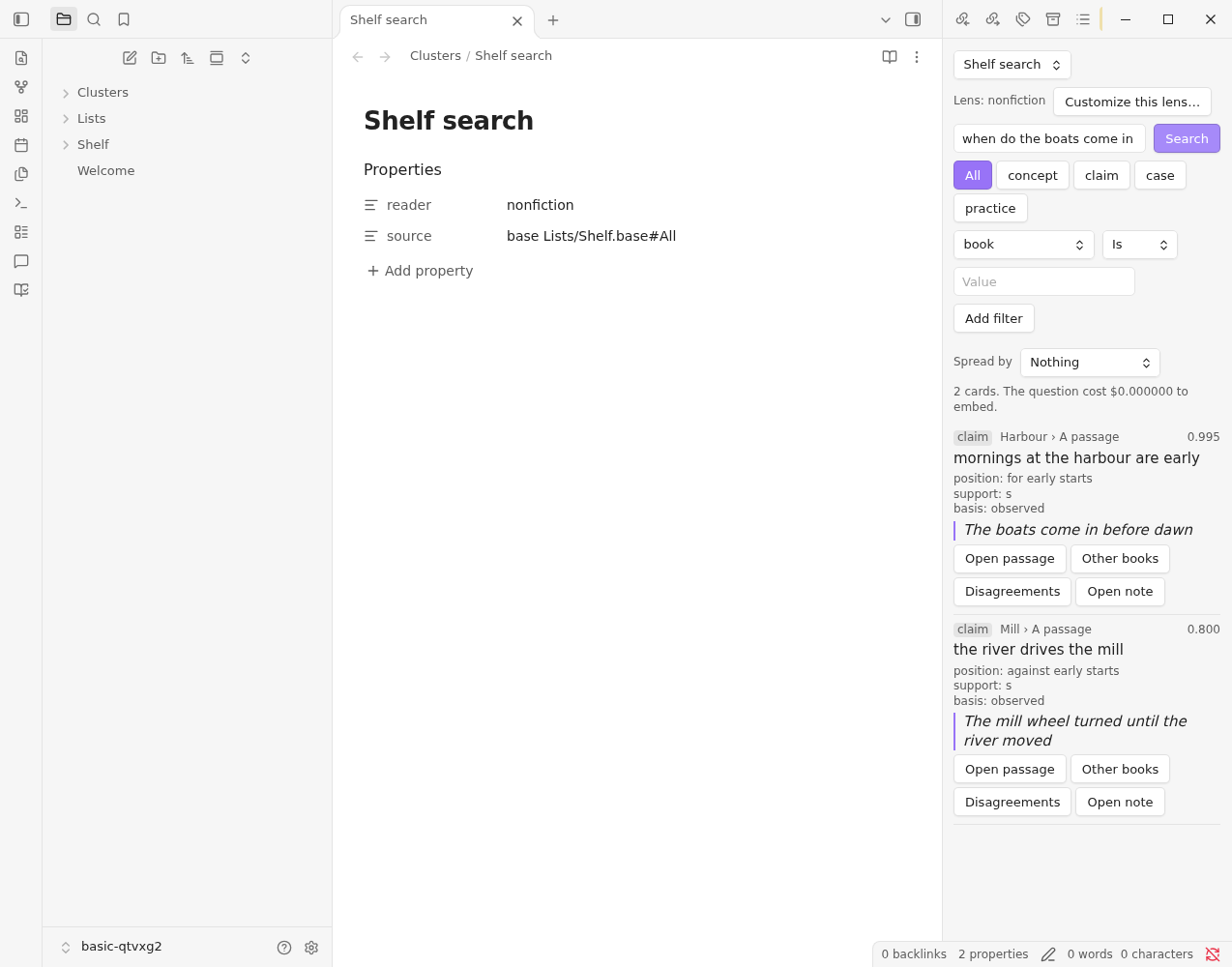
Next: find its topics, or draft a write-up. If something did not work, see Troubleshooting.